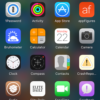
Vinculum, on the ModMyi repo, is a different view on Control Centre on iOS entirely, however is it a good one? With no functional controls, or utilities, it certainly isn't for everyone! Vinculum's inspiration comes from the Google Nexus Nougat App Drawer, something which some users certainly … [Read more...]
AppRestrict – The Perfect Anti-Procrastination Tool [Cydia Tweak]
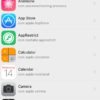
I came across AppRestrict on the ModMyi repo and although it's a little tweak, its usefulness is infinite. It is advertised as an 'anti-procrastination' tweak and that is what it does. It essentially allows you to limit what apps can be used and at what times. For example, if you know you have a … [Read more...]
Win10 – The Next Dreamboard Alternative? [Cydia Tweak]

OPW (One Page Widgets) Win10 can be found on the ModMyi repo and is an updated alternative to Dreamboard. With a smooth, slick interface it will super-charge your home screen with a usable Windows 10 based theme. Primarily, it makes a one-page based system so there's no more of that swiping … [Read more...]
Launchpad – Control Centre Reimagined [Cydia Tweak]
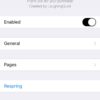
Launchpad for iOS is essentially Control Centre on steroids. Running great on both iOS 8 and 9, it can be found in Cydia under the ModMyi repo for just $2.50! Launchpad essentially creates a paging system where you would normally find control centre. Not only this but it also shrinks it down … [Read more...]
Manage WiFi From Anywhere In iOS With The Vestigo Cydia Tweak
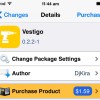
Connecting to a new WiFi network from your iOS device usually requires you to launch the Settings app, select WiFi and then tap on the network. Wouldn't it be easier if you could access all available WiFi networks and login from anywhere on iOS? Enter Vestigo, a new Cydia tweak that does just that, … [Read more...]
RocketLauncher Brings Quick App Launching To The Lockscreen In A Unique Way
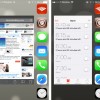
RocketLauncher is a new tweak for your Jailbroken iPhone, iPod Touch or iPad that you won't want to miss out on. What this tweak does is bring a new way to quickly launch applications from your lockscreen in a unique way. Once you install the tweak from the ModMyi repo and enable it from the … [Read more...]
BootSound, UIColors And Photo Booth (iOS 7) Are 3 Tweaks You Want To Download Right Now
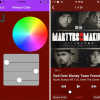
There have been some really neat Cydia tweaks lately that I wanted to bring to your attention and these tweaks are BootSound, UIColors and Photo Booth (iOS 7). BootSound is a new Cydia tweak that will add the iconic Mac OS X boot-up sound to your iOS Device. There are literely no options … [Read more...]
SubtleLock (iOS 7) And Forecast: Two Cydia Tweaks To Customize Your LockScreen
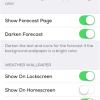
How would you like to bring the weather and other subtle changes to your iOS 7 lockscreen? SubtleLock (iOS 7) moves your clock up to the left hand corner and the date to the upper right with a smaller font, making the lock screen appear modern and less cluttered. After installing SubtleLock … [Read more...]
Lockscreen Extender Cydia Tweak: Set A Lock Screen Dim Delay
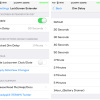
Are you tired of having to tap the home or power button to keep your screen awake? Would you like to be able to set a dim delay, so you can view those sweet widgets or animated wallpapers for a longer time, then look no further than a tweak called Lockscreen Extender developed by FreeApple for iOS … [Read more...]
Icon0matic Brings Back iOS 6 Icon Shadows To Your App Icons
Icon0matic is a Cydia tweak developed by Anthony Cornell that brings back the iOS 6 shadows on icons. With the release of iOS 7 came the disappearance of icon shadows for a flatter look, but Icon0matic brings back these shadows and allows you to customize them to your heart's desire. iOS 7 icons … [Read more...]
- 1
- 2
- 3
- …
- 19
- Next Page »