If you've installed iOS 10 and prefer iOS 9, whether it's to jailbreak or you just prefer it, you're in luck. You can easily rollback/downgrade, however hurry as this window of opportunity won't last forever. Step 1 - Backup If you ever want to come back to iOS 10, or something goes wrong, … [Read more...]
How To Jailbreak iOS 9.2 – iOS 9.3.3 Using Pangu
If you're looking to jailbreak your iPhone, iPod or iPad running iOS 9.2 up to 9.3.3, then look no further as Pangu is your solution to everything. For those of you who don't know, a brief summary of jailbreaking is essentially opening your iOS device up to editing and the ability to install … [Read more...]
How To Save Snapchat’s WITHOUT Giving The Game Away – Mac Only

Saving Snapchat's without letting the other person know has been a constant theme ever since Snapchat was released. In previous iOS 8 betas it was possible to save the photo using the normal screenshot method without the other person knowing. Now, it has got a lot more difficult. With Snapchat … [Read more...]
How To Install PlayStation Emulator On iPhone, iPod Touch, iPad Running iOS 9 – 9.0.2
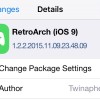
We recently told you how to install a Nintendo DS emulator on your iPhone, iPod Touch or iPad without having to jailbreak it. Now, we'll tell you how to install a PlayStation emulator on your iOS device, however, you're going to need a jailbroken device this time. Since there's no jailbreak … [Read more...]
How To Play Nintendo Games On iOS 9 Without A Jailbreak
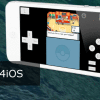
Do you fancy playing classic Nintendo games on your iOS device? It isn't a new thing to be able to play Nintendo or PlayStation games on the iPhone, iPod Touch or iPad using emulators. However, a jailbreak is usually necessary to install emulators on iOS and play old-school games. Today, we're … [Read more...]
How To Jailbreak iOS 9 – 9.0.2 On Mac Using Pangu Tool
The Pangu team recently released a Mac version of their iOS 9 jailbreak tool. The Mac version came almost two weeks after the release of the iOS 9- 9.0.2 jailbreak. It was first available for Windows users only. If you're a Mac user and have been waiting to jailbreak your iOS device, then this is … [Read more...]
How To Downgrade iOS 9.0.2 To iOS 8.4.1 On iPhone 5/4s And iPad 2/3
Are you on an older iPhone or iPad running iOS 9/9.0.2 and want to go back to iOS 8.4.1? Worry not, as there's a way to go back and enjoy iOS 8.4.1, despite the fact that Apple has stopped signing this firmware. The iPhone 4s, 5 and 5c may not be able to provide enough power to run iOS 9 … [Read more...]
How To Downgrade From iOS 9.1 To iOS 9.0.2
Now that Apple has released iOS 9.1, the Pangu iOS 9 jailbreak has been patched and those who want to jailbreak, have to stay on iOS 9.0.2. If you updated to iOS 9.1 because of the few new features and bug fixes, but still want a jailbreak, don't worry. There is a way to go back. Apple is still … [Read more...]
How To Fix Pangu 9 iOS 9 Jailbreak Errors Such As Cydia Crashing And Others

It's been a few days since the release of the untethered iOS 9 jailbreak by the Pangu team. Their new Pangu 9 tool can jailbreak iOS 9, 9.0.1 and 9.0.2. We already have an easy to follow tutorial on how to jailbreak iOS 9/9.0.1/9.0.2. As with all first releases, the Pangu 9 v1.0.0 tool has some … [Read more...]
How To Jailbreak iOS 9 / 9.0.1 / 9.0.2 Untethered Using Pangu 9 For Windows
Now that Pangu has released a working iOS 9 jailbreak, you're probably getting ready to jailbreak your iPhone, iPad or iPod Touch. The brand new iOS 9 jailbreak by Pangu is compatible with all the iOS devices that can run iOS 9 and works with the latest iOS 9.0.2 firmware as well. If you're … [Read more...]
- 1
- 2
- 3
- …
- 51
- Next Page »