Earlier in the week, we mentioned that the Verizon iPhone has been jailbroken with GreenPois0n RC5 b4. This guide will show you how to jailbreak a Verizon iPhone 4 untethered on iOS 4.2.6 using GreenPois0n. If you need to jailbreak iPhone, iPod Touch or iPad untethered on iOS 4.2.1, follow our guides: Mac OS X or Windows.
Step 1) – The Verizon iPhone is currently limited to running only the iOS 4.2.6 firmware. This means you will not need to worry about running a specific firmware version, like in our other two tutorials.
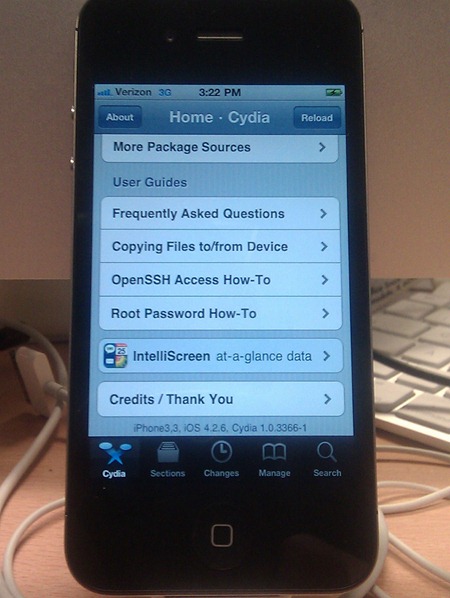
As you do not need to worry about your firmware version, the very first thing you are going to need to do is download the latest version of GreenPois0n. You can do this by using one of our download mirrors below:
Step 2) – Once you have downloaded GreenPois0n RC5 b4, you are going to need to launch GreenPois0n. When GreenPois0n is up and running you will now need to plug your Verizon iPhone 4 into your computer via USB. Once your iPhone is successfully plugged into your computer, you can begin the jailbreaking process by clicking the jailbreak button (however make sure you are anticipating what comes next).
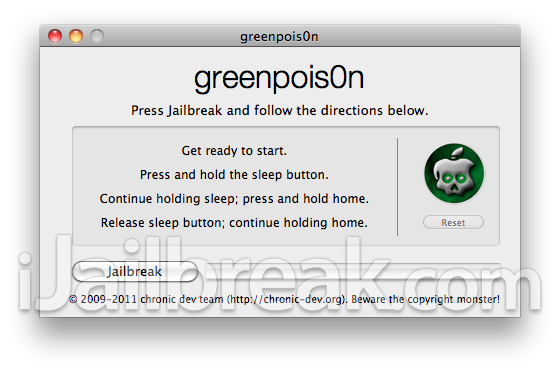
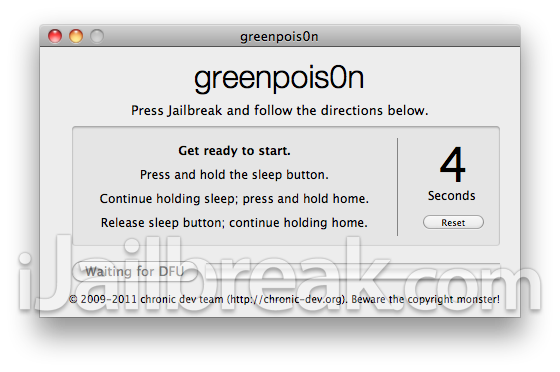
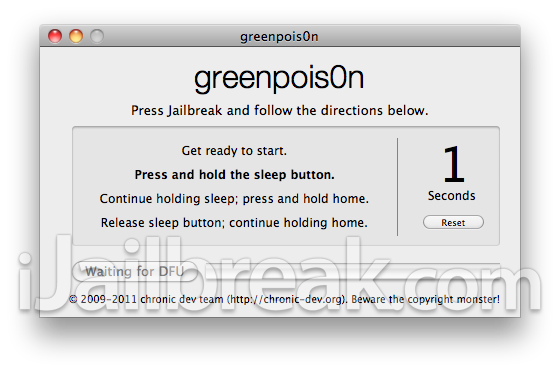
Once you click the jailbreak button you will then need to put your iPhone into DFU mode. GreenPois0n provides on-board instructions for putting your iPhone into DFU mode. Please follow the instructions exactly to avoid errors with your jailbreak.
Note: In case this is your first time jailbreaking, here is what to expect when putting your iPhone into DFU mode:
- Get ready to start (5 seconds)
- Press and hold the sleep button (3 seconds)
- Continue holding sleep; press and hold home (10 seconds)
- Release sleep button; continue holding home (10 seconds)
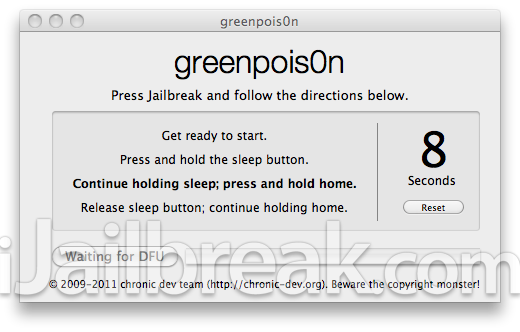
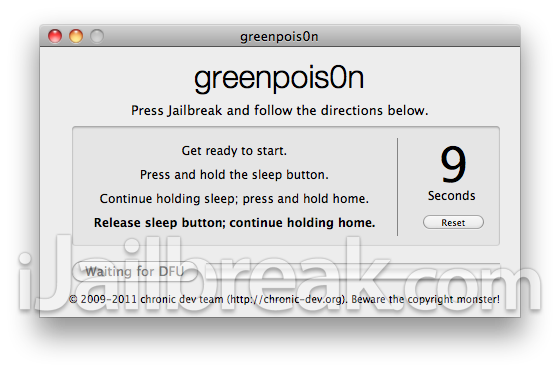
Step 3) – Once your iPhone has successfully entered DFU mode, GreenPois0n will begin jailbreaking your iPhone. Now you just need to sit back and wait for GreenPois0n to respring your iPhone into a jailbroken state.
When your iPhone does respring into a jailbroken state you will need to click the loader icon on your SpringBoard to install Cydia (the 3rd party installer).
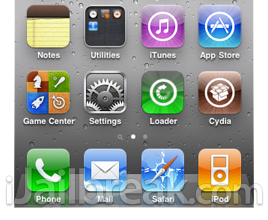
When you click the loader icon, you simply need to click on the Cydia tab and the loader.app will begin installing Cydia to your iPhone. Once Cydia has been successfully installed, you can delete the loader.app. Note: If Cydia is not displayed on your SpringBoard after FIRST clicking the cydia tab through the loader.app, you may need to simply restart your iPhone.
Hopefully this tutorial helped you jailbreak your Verizon CDMA iPhone 4 on iOS 4.2.6 untethered! Let us know if you need any help, or run into any errors, we would be more than glad to help.
Did the hack a couple of days ago…can find an installous for the 4.2.6 yet…???? anyone know whats up
Y does mine look diff and the last step is 15 sec not 10 I can’t get it to work my program says prepare to put on dfu mode and then it does the countdown but it doesn’t make it all the way threw and my iTunes keeps popping up and am I supose to have Internet connection for the entire setup after downloading greenpoison?
i am trying to jailbreak my verizon iphone and i had option to jailbreak on greenpoision and i clicked on it now i can only see white blank screen and i dont know what to do…can someone help me please please please please please please please please…
my email address is njzguju143@gmail.com..i would really appriciate…thanks a ton in advance..
i followed the directions with holding the home button and everything. then the button appeared that said ‘jailbreak.’ i clicked it and now it says ‘jailbreaking…’ as an unclickable button. but its been saying it for about 20 minutes. is it supposed to take this long?
did you ever find the solution to this? i got the white screen and immediately unplugged it. should i just leave it plugged in and continue holding the home button
did you ever find the solution to this? i got the white screen and immediately unplugged it. should i just leave it plugged in and continue holding the home button
I got to the loader icon but when i click on it it does not open to be able to install Cydia. Any help would be appreciated…
why am i unable to send picture messages after jailbreaking? is there a way to fix this?
I followed every step in this page but when I tried opening the loader app it keeps crashing. please someone help me
i jailbroke it but the loader app wont open… someone help
I have an iPhone 4 Verizon with 4.28 and attempted the above jailbreak. It appears that I got all the way through the process with the Loader on the springboard buy even after restarting the phone, no Cydia. Is this because it does not work with 4.28?
so i do everything right it comes up the skull apple spins a couple times then black out and goes back to the main apple logo then gives me the picture telling me i have to plug my phone into itunes.. ive tried it like 5 times now and its not working can you please help. my email is alexadler10@yahoo.com
so i do everything right it comes up the skull apple spins a couple times then black out and goes back to the main apple logo then gives me the picture telling me i have to plug my phone into itunes.. ive tried it like 5 times now and its not working can you please help. my email is brookemontrealwilliams@yahoo.com
I tryed but I am stock on a black screen and it says failed to get
apples5l892xarm7m after 5 30secs. and stays there
please help