Have you ever wanted to place widgets on your iPhone, iPod Touch or iPad? Well, if you have then you will be glad to know thanks to the Dashboard X Cydia tweak this is now a reality! What the Dashboard X Cydia tweak does is allow you to place any sort of installed Notification Center widget on your iOS device’s SpringBoard (homescreen).
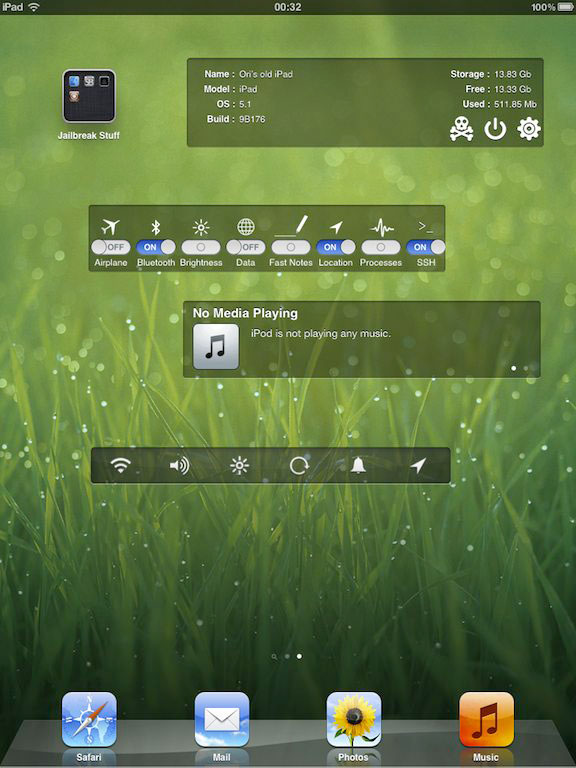
There is even a handy Dashboard screen that can be accessed through a configured Activator action that will display various widgets as well. In my opinion this feature is unnecessary as your Notification Center already acts as a Dashboard of sorts, but I am sure there are some people who will find this feature handy.
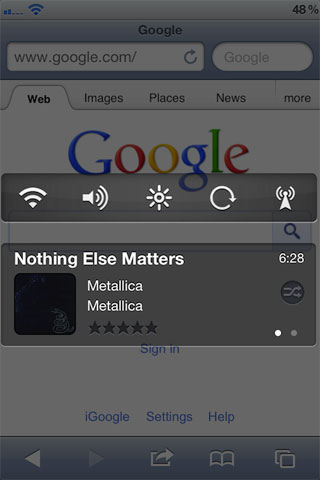
Placing widgets on your SpringBoard or Dashboard is extremely simple and involves entering “wiggle mode” and then simply holding your finger down on your iOS device’s screen. Doing this will bring up a list of installed Notification Center widgets that can be selected and then moved around on your SpringBoard.
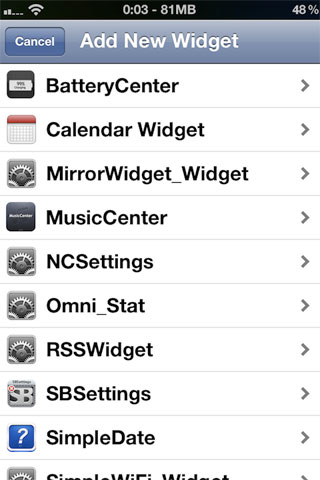
Thanks to Dashboard X’s framework developers will now also be able to develop more advanced widgets purely for Dashboard X that will provide some really innovative functionality. Meaning it should only be a matter of time before we start seeing exclusive Dashboard X widgets released into Cydia.
If you are interested in the Dashboard X Cydia tweak you can find it through the BigBoss repo for a price of $1.99. Let us know what you think of this tweak in the comments section below…
wow. thanks
Are these printscreens from your ipad/iphone?
of course iPad
hey its nice… its working for me
Can an apps like flipboard I add
.as are widget??if can..show me how
Great tweak, but one problem… I am using an iPhone 4S, and the “Share” widget doesn’t work for me when I place it with Dashboard X. I can see it, but it doesn’t open when I tap it. D: