How Evasi0n iOS 6.x – iOS 7.0.x Untethered Jailbreak Works
As Jailbreaking tools nowadays are so well tested, it is easy for people to forget just how complex they really are. Sure a Jailbreaking tool looks simple behind the graphical user interface (GUI), but underneath it is the work of hundreds of hours from some of the brightest minds in the exploitation / hacking industry.
Braden Thomas from Accuvant Labs has recently provided a detailed explanation on how Evasi0n (Evasi0n7) was accomplished. It is definitely a technical read that is not for the feint hearted, but the introduction provides a somewhat helpful overview.
Evasi0n’s userland component is very unique, because it is entirely filesystem-based. It doesn’t require memory corruption to escalate privileges from mobile to root. Perhaps it was named evasi0n because it evades all the userland exploit defenses instead of attacking them head-on.
Evasi0n works in 3 stages that are described below. All of the stages use functionality on the phone exposed by MobileBackup, the daemon used to backup user data from the device, and restore backups back to the device. Since backups are created by the user’s device, and must be interchangeable between devices, they cannot be easily cryptographically signed, so they are essentially untrusted data.
Something to point out with Evasi0n is unlike Jailbreaking exploits used with JailbreakMe, Evasi0n’s is less dangerous in terms of what it could do in the hands of a malicious hacker. Thomas explains:
Uunlike the previous jailbreakme.com exploits, which could be used against an unwitting victim, jailbreaks that require USB tethering have a lower security impact, and are usually only useful to the phone’s owner. Attackers are less interested because iPhones with a passcode set will refuse to communicate over USB if they are locked, unless they have previously paired with the connecting computer. So your phone is stolen and it’s locked, attackers won’t be able to jailbreak it. Therefore, only malicious code already running on your computer can leverage USB jailbreaks nefariously.
Definitely check out the entire article on Accuvant Labs if you are curious about all the technicalities.
How To Download Evasi0n (Evasi0n7)
Evasi0n is maintained and developed by a group of hackers by the name of the Evad3rs. As such you can always find the latest version of Evasion from their blog. iJailbreak also maintains a downloads section that always contains the latest version of Evasi0n. Just visit the iJailbreak Downloads Section and download the version of Evasi0n.
How To Jailbreak With Evasi0n (Evasi0n7)
The process for jailbreaking your iPhone, iPod touch or iPad is often different depending on the generation of your iOS device and firmware version you are running. As such, we have written how to guides for each specific scenario that can be accessed from our How To Jailbreak Section.
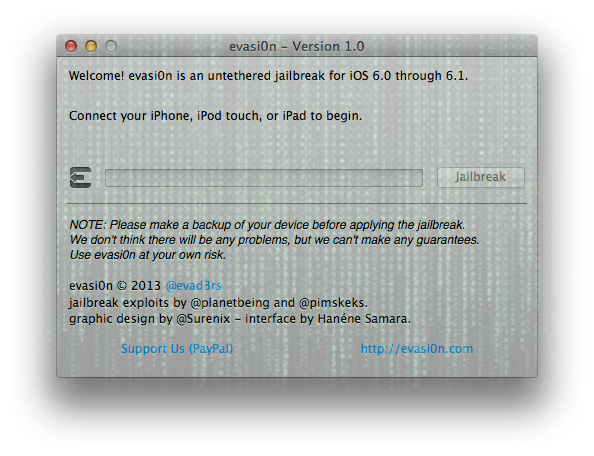
If you feel that you are pretty technologically savvy however, most of the time you can figure it out yourself by connecting your device to your computer through the USB cable and then simply clicking the Jailbreak button. Evasi0n does provide on-screen instructions that will help you the whole way through.
Common Errors With The Evasi0n iOS 6.x Untethered Jailbreak And Solutions
Cydia Is Not Loading And Packages Not Installing
The most common error people are experiencing right now is problems with Cydia. This involves either Cydia not being able to download tweaks / themes (packages) or Cydia not loading whatsoever. This is the most common error that we see when any new big Jailbreak is released and it is simply due to the amount of people trying to access Cydia and download packages. There is unfortunately not solution to this problem besides waiting it out and trying again later. Generally within 24-48 hours Cydia will run at full steam again.
Evasi0n Doesn’t Recognize My Device
Evasi0n doesn’t recognize your device eh? Well, if this is the case it is likely because you did an over-the-air update to whatever firmware version you are running now. To fix this you will need to backup your device and then re-update to iOS 6.1 using iTunes. More information on this can be found in our official Evasi0n preparation guide. If, after doing this, Evasi0n still does not recognize your device, make sure it is supported, restart your computer and switch USB ports.
Evasi0n Fails And Is Not Working
This is a pretty vague statement, but generally if Evasi0n is not functioning correctly it is because you have a Passcode on your device or iTunes opened during the Jailbreaking procedure. Ensure that you disable the Passcode lock on your device and DO NOT touch your computer during the Jailbreaking process. If you are still experiencing troubles doing a fresh restore to iOS 6.1 will likely fix your troubles.
Evasi0n Is Stuck At “Patching Kernal”
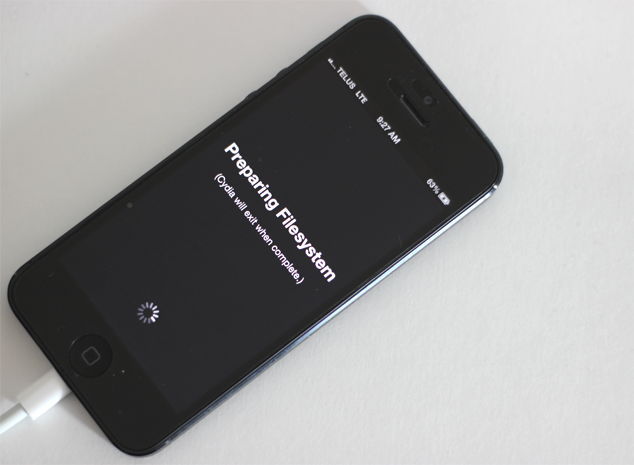
Pod2G sent out a tweeted earlier explaining that if your device is stuck displaying “patching kernel”, you can press Power plus Home for a long time to force a reboot. You can then try re-Jailbreaking your device keeping in mind the suggestions explained in the previous point if you run into troubles again.
Those are the most common errors I came across over Twitter and reading through comments on our website. If you have any other troubles let us know in the comments section and I will try my best to help you out.
Common Problems With Evasi0n7 And How To Fix Them
Start Problems With Evasi0n7 On Windows
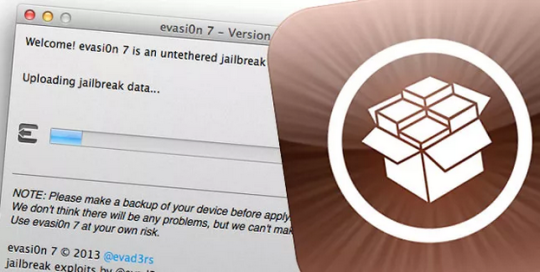
If you are having troubles starting Evasi0n7 on Windows then it is probably because you are not running it as administrator. Right click on the Evasi0n7 icon and click the start tool as admin option.
Start Problems With Evasi0n7 On Mac OS X
If you are having troubles starting Evasi0n7 on Mac OS X then it is probably to do with GateKeeper. To get GateKeeper simply Control click on the Evasi0n 7 icon and click the Open option. You may be prompted to allow an application from a new developer – click Open.
Jailbreak Is Stuck
Keep in mind that the entire Jailbreaking process can take up to 5 minutes and during this time your device will reboot multiple times. If the Jailbreak actually becomes stuck, however, it is safe to restart the program and reboot your device by holding down the Power and Home button.
The Jailbreak Failed
There are a lot of reports of Evasi0n7 putting devices in looping boots, sandbox issues after the actual Jailbreak and so much more. If the Jailbreak failed then it could be due to a number of reasons, but the most common are:
- You updated to your current firmware version over-the-air (OTA)
- You failed to disable the passcode on your iOS Device
What you will need to do is restore your device back to iOS 7.0.4 through iTunes and ensure no passcode is enabled during the Jailbreaking process.
Problems With Cydia And MobileSubstrate
Those that successfully Jailbroke their iPhone, iPod Touch or iPad with Evasi0n7 but are experiencing issues should note that Saurik was not informed that the Jailbreak would be released today. As such updates will be required for Cydia itself and MobileSubstrate before things will work smoothly again. Your best bet is to sit tight and wait for these updates to be pushed.
Also keep in mind that Cydia will also be experiencing higher than normal traffic volumes so expect delays.
Hopefully these solutions will help you solve an iOS 7 Untethered Jailbreak woes.
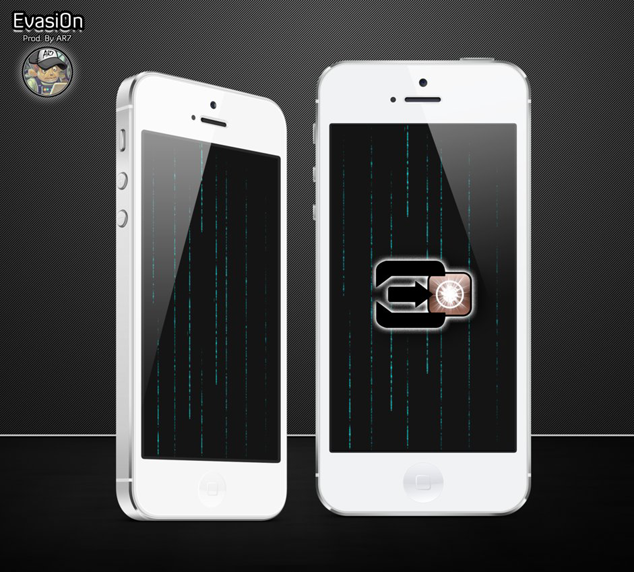
Celebrate Evasi0n With These Wallpapers For iPhone, iPad, iPod Touch
Download Link
Download the Evasi0n Wallpaper Pack
The file (Evasion7) is no more found. The download link is no more usefull.