Sn0wBreeze is a Jailbreaking tool that has existed since the iOS 3 firmware generation and has continued to be maintained by its developer iH8Sn0w to this day. It can be used to Jailbreak the iPhone, iPod Touch, iPad and even Apple TV 2G, but is limited to iOS devices featuring an A4 chip. This means devices older than the iPhone 4S, iPad 2 or Apple TV 3G.
One of the benefits of Sn0wBreeze is that it allows for greater Jailbreak customization. This is because unlike tools like RedSn0w or GreenPois0n that Jailbreak your device in its current state, Sn0wBreeze creates a custom iOS firmware file (IPSW) that will need to be restored to your iPhone, iPod Touch, iPad or Apple TV before it will become Jailbroken. This is has its pros and cons, with the biggest con being that you will lose all the data on your iOS device.
Sn0wBreeze is just a GUI (graphical user interface) for Xpwn, which is a command-line implantation of the PwnageTool that is maintained by Planetbeing. This means Sn0wBreeze is essentially just a shell that makes it easy to interact with Xpwn on Windows through an easy to use interface. Without Sn0wBreeze you would have to use terminal commands to create custom firmware files on Windows.
Sn0wBreeze Device Compatibility
As mentioned previously, Sn0wBreeze is only compatible with A4 iOS devices and does not support newer devices like the iPhone 4S, iPad 2 or Apple TV 3G. You can take a look at the devices and firmware versions Sn0wBreeze currently supports below. Keep in mind that we will update the Sn0wBreeze compatibility chart when new versions of Sn0wBreeze are released to ensure it is always up to date.
Latest Sn0wBreeze Untethered Jailbreak: iOS 5.1.1
Latest Sn0wBreeze Tethered Jailbreak: iOS 6.0.1
Sn0wBreeze iPhone Support
iPhone 6s Plus: Not Supported
iPhone 6s: Not Supported
iPhone 6 Plus: Not Supported
iPhone 6: Not Supported
iPhone 5s: Not Supported
iPhone 5c: Not Supported
iPhone 5: Not Supported
iPhone 4S: Not Supported
iPhone 4: iOS 6 (iOS 6.0,6.0.1) + iOS 5 (iOS 5.1.1, iOS 5.1, iOS 5.0.1, iOS 5.0) + iOS 4 (4.4.4, 4.4.3, 4.3.3, 4.3.2, 4.3.1, 4.3, 4.2.8, 4.2.6, 4.2.1, 4.1, 4.0.2, 4.0.1, 4.0) + iOS 3 (iOS 3.1.3)
iPhone 3GS: iOS 6 (iOS 6.0, 6.0.1) + iOS 5 (iOS 5.1.1, iOS 5.1, iOS 5.0.1, iOS 5.0) + iOS 4 (4.3.3, 4.3.2, 4.3.1, 4.3, 4.2.1, 4.1, 4.0.2, 4.0.1, 4.0) + iOS 3 (3.1.3)
iPhone 3G: iOS 4 (4.3.3, 4.2.1, 4.1, 4.0.2, 4.0.1, 4.0) + iOS 3 (3.1.3)
Sn0wBreeze iPad Support
iPad Pro: Not Supported
iPad Air 2: Not Supported
iPad Air: Not Supported
iPad Mini 4: Not Supported
iPad Mini 3: Not Supported
iPad Mini 2: Not Supported
iPad Mini: Not Supported
iPad 4: Not Supported
iPad 3: Not Supported
iPad 2: Not Supported
iPad 1: iOS 5 (iOS 5.1.1, iOS 5.1, iOS 5.0.1, iOS 5.0) + iOS 4 (iOS 4.3.5, 4.3.4, 4.3.3, 4.3.2, 4.3.1, 4.3, 4.2.1) + iOS 3 (iOS 3.2.2, 3.2.1, 3.2)
Sn0wBreeze iPod Touch Support
iPod Touch 6G: Not Supported Yet
iPod Touch 5G: Not Supported Yet
iPod Touch 4G: iOS 6 (iOS 6.0, 6.0.1) + iOS 5 (iOS 5.1.1, iOS 5.1, iOS 5.0.1, iOS 5.0) + iOS 4 (iOS 4.3.5, 4.3.4, 4.3.3, 4.3.2, 4.3.1, 4.3, 4.2.1, 4.1, 4.0.2, 4.0.1, 4.0) + iOS 3 (3.1.3)
iPod Touch 3G: iOS 5 (iOS 5.1.1, iOS 5.1, iOS 5.0.1, iOS 5.0) + iOS 4 (iOS 4.3.5, 4.3.4, 4.3.3, 4.3.2, 4.3.1, 4.3, 4.2.1, 4.1, 4.0.2, 4.0.1, 4.0) + iOS 3 (3.1.3)
iPod Touch 2G: iOS 4 (iOS 4.3.4, 4.2.1, 4.1, 4.0.2, 4.0.1, 4.0) + iOS 3 (iOS 3.1.3)
Sn0wBreeze Apple TV Support
Apple TV 4G: Not Supported
Apple TV 3G: Not Supported
Apple TV 2G: iOS 5 (iOS 5.0.2, 5.0) + iOS 4 (iOS 4.4.4, 4.4.3, 4.3.0)
How To Download Sn0wBreeze
Sn0wBreeze was created by a single developer by the alias of iH8Sn0w. You can download the latest version of Sn0wBreeze from the official iH8Sn0w website, along with all of his other utilities. iJailbreak also maintains a downloads section that always contains the latest version of Sn0wBreeze. Visit the iJailbreak Downloads Section and download the version of Sn0wBreeze that is bold. This signifies that it is the latest version.
The Basics Of Sn0wBreeze
Sn0wBreeze is a Jailbreaking tool that Jailbreaks your iPhone, iPod Touch, iPad or Apple TV when you restore it to one of the custom firmware files (IPSW) it creates. This method of Jailbreaking allows you to specify advanced features like the root partition size, pre-installed packages and custom boot logos. It can also remove the baseband update found in iPhone iOS updates, which is useful for unlockers. The downsides to using Sn0wBreeze is that it indeed means your device must be restored, thus losing all your data currently residing on the device. It is also common to run into iTunes errors when trying to restore the custom firmware file it creates for a number of reasons including not entering DFU Mode correctly, USB port malfunction and firmware corruption.
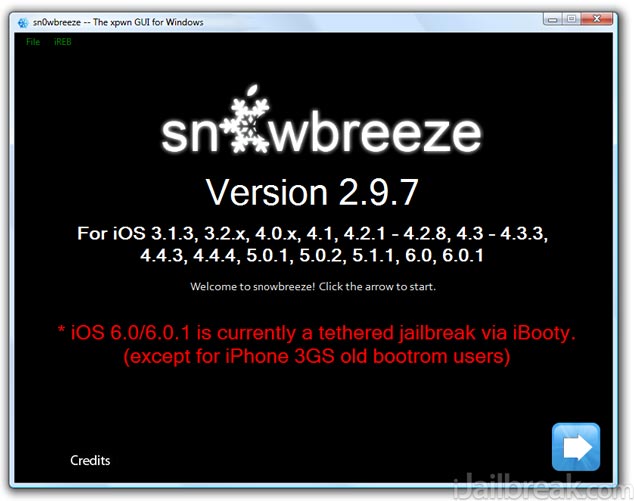
The difference between a Tethered and Untethered Jailbreak
Due to the fact that Sn0wBreeze supports a wide variety of firmware versions, it will Jailbreak both Tethered and Untethered. This is because not all firmware versions are able to be Jailbroken Untethered. An Untethered Jailbreak means that your device will function as normal once Jailbroken. A Tethered Jailbreak on the other hand is different. It means that when you Jailbreak you cannot power your device off. When you do this while your Jailbreak is Tethered it means in order for your device to turn back on you will need to plug it into the computer and re-run RedSn0w over again. Once you do this your device functions as normal… no data is lost. Hence the term tethered, because you are Tethered to your computer.
Now why would a Jailbreak be Tethered? Well the only reason a Jailbreak would be Tethered is if the developers behind the Jailbreak for a specific firmware version are having a hard time Jailbreaking it. If this is the case often times they will release a Tethered Jailbreak and then an Untethered Jailbreak later on once they find a suitable exploit.
How to launch Sn0wBreeze correctly
Sn0wBreeze has to be launched a certain way on Windows to avoid problems later on. In order to launch Sn0wBreeze correctly you will need to ensure you grant it administrative privileges by right clicking it and selecting the run as administrator option. This will ensure it has the proper permissions to create a fully functioning pre-Jailbroken IPSW.
Navigating Around Sn0wBreeze
When you launch Sn0wBreeze and after you select the stock iOS firmware file you are trying to Jailbreak, you will come to a screen with up to four options. These options will designate what you are trying to do with Sn0wBreeze. As Sn0wBreeze is a powerful Jailbreaking tool it allows you to downgrade, Jailbreak and also preserve your iPhone’s baseband. Here is a better explanation of what the 4 available options will do.
- iFaith Mode: Selecting this mode will allow you to create a custom IPSW containing previously saved SHSH blobs. This will allow you to downgrade your iOS device to a previous firmware version, but will not Jailbreak it.
- Simple Mode: This mode will begin creating a custom pre-Jailbreak IPSW without selecting any customization options. Once you click this button Sn0wbreeze automatically begins the IPSW creation process.
- Expert Mode: This mode will present to you options for customizing your Jailbreak before creating your custom pre-Jailbroken IPSW. This includes setting your root partition, selecting pre-installed packages etc.
- Baseband Preservation Mode: This particular mode is only useful if you wish to upgrade your iPhone to the latest firmware version without updating your baseband. It will not Jailbreak your iPhone in the process.
If you select the Expert mode option then you will come to a new screen that has even further customization options split up into five additional sections.
- General: The general section contains customization options such as enabling battery percentage, hacktivating the iPhone, installing SSH and setting your root partition size.
- Unlocks: If your iPhone is running a baseband version that can be software unlocked then this section will be available. Very few baseband versions can be software unlocked, so it is unlikely this section will be available.
- Custom Boot Logos: When custom boot logos can be applied to your iOS device this section will be available. Custom boot logos will replace the default Apple logo that appears when your reboot your iPhone, iPod Touch or iPad.
- Custom Packages: This section will allow you to specify pre-installed Cydia packages that will automatically be installed on your iOS device. You can browse through a variety of repositories and even add external ones.
- Build IPSW: Upon clicking the Build IPSW option your custom firmware file will begin being created.
How To Jailbreak With Sn0wBreeze
Sn0wBreeze has a lot of features that more advanced users, who don’t mind restoring their iOS device, will find useful when Jailbreaking. Now that you understand all of the features of Sn0wBreeze you can Jailbreak your iPhone, iPod Touch, iPad or Apple TV with Sn0wBreeze, as long as it is supported (check the Sn0wBreeze compatibility section near the beginning of this article). The process for Jailbreaking your device is often different depending on the generation of your iOS device and firmware version you are running. As such, we have written how to guides for each specific scenario that can be accessed from our How To Jailbreak Section.
For those that are more technologically inclined however, you will probably be fine just following Sn0wBreeze’s on-screen instructions. With all the knowledge you have learned by reading about all of Sn0wBreeze’s features, you should not find it very difficult.
can’t on mac ????????
ikr y cant i use it for mac :<
because there is a tool called PwnageTool for MAC
if you have to run it on a mac use PWNAGE MAC
thanks snowbreeze, i ws able to activate my locked iphone even without the carrier sim!!! Kudos!!!!
We restore the IPSW file build by Sn0wbreeze Simple Mode, does it update baseband once restore it in itune ?
I just upgrade my iphone4 to 5.1.1 with sn0wbreeze 296. Now i cant use personal hotspot anymore, the field to input unthether internet gone, i’ve tried everything suggested on google, change phone name, reset network setting, still didn’t make the missing field back. Please help, or direct me to a forum that can solve this problem, many thanks.
Note: personal hotspot was working fine when i still on 4.3.3 and my phone carrier does not has any restriction on internet tethering.
Hi ineed help please, ihave an ipod 3g. i can get about to the end of the process to where its time to restore mi ipod with snowbreeze but it keeps telling me that the firmware is incompatable! HELP!?!?
Ok correct me if I’m wrong but there’s an error here, the iPhone 3g doesn’t support any other version rather than 4.2.1, and the sn0wbreeze itself only lets you download from 3.1.3 to 4.2.1 in the “download firmware” section of the program, in case you still hadn’t the firmware. I wanted to believe I could upgrade my iPhone 3g to a 4.3.3 or even 4.3.1 but the internet has spoken and it says it’s impossible unless it’s an iPhone 3gs. Can you correct this?