The only tweak that could be more convenient than SBSettings is a tweak that flips your SBSettings toggles for you. SBProfiles was already the go-to tweak for toggle automation, and now it’s gotten better with GPS triggers, multiple triggers per profile, and new trigger combinations with lock and charging states.
SBProfiles is a powerful tweak because it can access every toggle from the highly versatile SBSettings, including third-party plugins like SSH and Veency. In addition, it can also set the Brightness, the System Volume, Ringtone Volume, launch apps, respring, reboot, or shut down on schedule (or WiFi. Bluetooth, and now GPS).
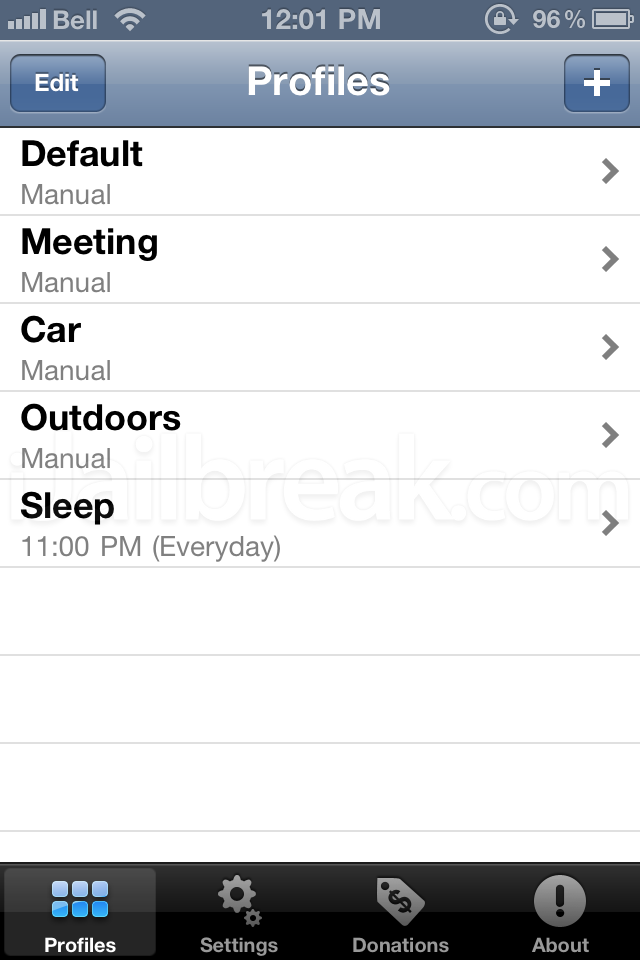
You can set multiple profiles for different situations.
Speaking of the triggers, they can be set to some impressively complex behaviors. While WiFi, Bluetooth, and GPS Location can’t be set as AND conditions (instead set as equivalent OR conditions), they can be set alongside other prerequisites like ‘while charging, unplugged, locked, or unlocked’, and under certain timed conditions. Of course, there are also manual methods for switching profiles, from activator gestures which can be set through the app’s settings.
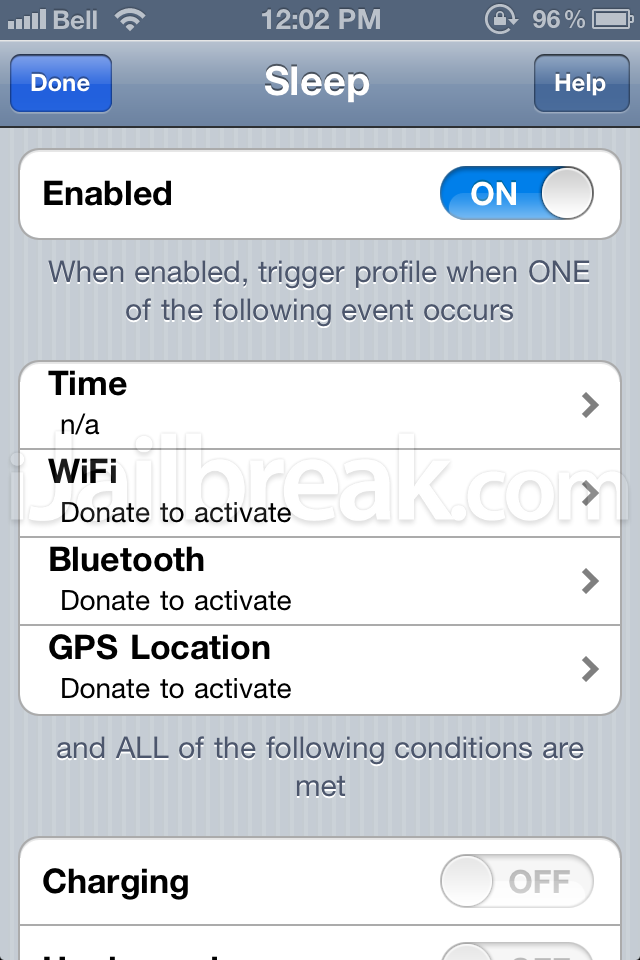
Premium features are available after a ‘donation’–also known as a ‘purchase.’
As with WiFi and Bluetooth, GPS location is a donation-only trigger, though the license for SBProfiles is available on a pay what you want basis. Selecting any of the fancier options will take you to the developer’s donation page. If you’re just testing out the tweak, you can try out the timed triggers.
SBProfiles can be found on the BigBoss repository on Cydia. As we mentioned earlier, it’s a pay what you want tweak. Keep in mind that after you install it, SBProfiles will appear on the SpringBoard instead of under Settings. If you aren’t a fan of having another icon on your SpringBoard, you can always hide it with SBSettings and activate it with Spotlight.
Do you want your phone to automate toggles and sliders for you, or do you prefer setting the toggles yourself? Share your thoughts in the comments section below.
Hi, I just found this app and I’m impressed but before i go and donate to get the premium triggers I was just wondering why I can’t enable charging/unplugged/locked/unlocked?
I can see in your screen shot that you can’t either…
Will those also be activated with a donation?
Btw. can you pass me the support email of the app author? I know that I can get the email from within Cydia => selecting SBProfiles => Author => Author GCK But I’ve completely removed email from my phone and am using the Gmail app and there is no way to redirect iphone to another email handler :-(
I’d have to completely put everything back just to get his email address.
Ovidiu,
His email address is gerardck01 –at– gmail –dot– com
Thanks a million :-)