Recently, we told you about an awesome Cydia tweak called iSounds that lets you change the basic iOS sounds to something different. Inspired from the same tweak, probably, here’s another one that lets you add different notification tones for various apps.
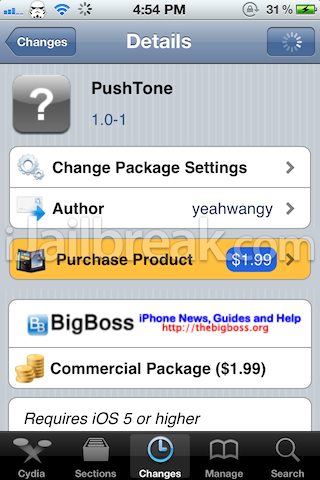
PushTone is a new Cydia tweak that lets you add new tones for various apps in the Notifications Center. There are not enough sounds in iOS to be applied to all the different apps that you may have installed. For example, you may want to have a different sound for notifications from Whatsapp and a different one set for Messages. If you’re looking for something of that sort, then this is the tweak for you.
iOS has a powerful ringtone library. But It only could be used to system apps, like phone.message.etc. And also some apps don’t have a notification sound. All the notifications sound the same, you can’t tell the one which you care. With this tweak, you can select a sound from ringtone library for every push-enabled app.
To change and add different notification sounds, head over to the Notification Center settings and select the app whose sounds you want to change. You’ll see a new PushTone option added at the bottom of the page. Select that and choose your sound.
PushTone Cydia tweak is available in the BigBoss repo for $1.99. Give it a shot and tell us how you liked it.
It’s not working for me with Gmail app…With any other works great but with this one it’s not:(
So if I have the espn scores app and I want to get a sound notification when my alert goes off this will allow me to? Is it customizable?
Doesn’t work with iOS 5.1.1
Dumbass!! It does work 5.1.1 4S
It just doesn’t work for system apps like Messages And Reminders because you can change those in Settings -> Sounds
Hey sdk, did you already have it installed before you upgraded to iOS 5.1.1? I just JB’ed for the first time and it is on iOS 5.1.1 on a 4S and Cydia says te package is not compatible with iOS 5.1.1, so it won’t let me purchase and download.
Can’t download on 5.1.1 for many it seems. Including me.
I installed it by getting a deb file of PushTone though I can’t remember exactly where I got it from :P
can you share (upload it yourself) the file here?
10q….!!!!!!!!!!!!!!!!!!!!!!!!!!!!!!!!!!!!!!!!!!!!!!!!!!!!!!!!!!!!!!!!!!!!!!!!!!!!!!!!! neva been so happpyy.! =***
very useful tool :P
Pls make it working on IOS 6.1!! :)