iTunes 11 was released today and it really is a big change from iTunes 10. iJailbreak recently did an in-depth review of iTunes 11 and have concluded that it is a “major overhaul both visually and functionally.” Almost every element of iTunes 11 was re-designed or at least tweaked.
In case you are not liking just how different iTunes 11 really is, you will be glad to know that making iTunes 11 more like iTunes 10.7 is an extremely simple process. All you need to do is bring back both the Sidebar and Status Bar and you are essentially looking at iTunes 10.7, but with all the great benefits of iTunes 11.
In order to bring back both the Sidebar and Status bar simply launch iTunes 11, click the ‘View’ button in the top menu bar and then click on ‘Show Sidebar’ and ‘Show Status Bar’. When you do this iTunes 11 will once again look familiar to you.
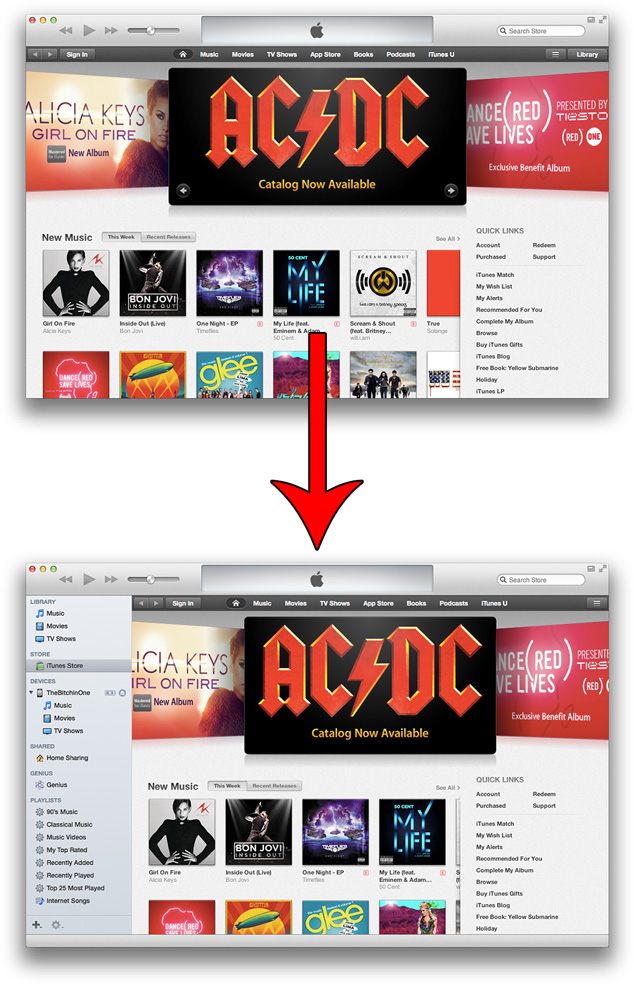
Do you prefer the default interface of iTunes 11? Or do you like the iTunes 10.7-esque interface? Drop us a line in the comments section below. Both layouts have their benefits, but personally I think I am going to try to adapt to the new interface introduced in iTunes 11 as more content is displayed on the screen.
I like the new GUI ;)
Hate the new GUI so much it hurts to look at it… I want the old one back… please quit “fixing” things for the sake of change!
This new iTunes feels exactly the same like the new iPhones.
Nothing new in this iTunes , except more confusing look, and some reprinted extra icons. I feel like they actually removed some good features, such as changing the size of app icons or albums that can be displayed in the library.
To me it looks like “hey come and buy something from our store – you don’t need any distractions of a sidebar where you might do something other than BUY SOMETHING – these aren’t the droids you’re looking for”
I agree
They took away cover view/flow. What are they thinking? It was by far5 my favorite feature and the only screen I used. I do like the Up Next thing, but the tradeoff is impossible. On my Mac I can not even go back with a TimeMachine restore. I don’t like it that they force me to adjust to something I will NEVER like as much! I may be at the end with my favorite tech company.
error while sync