Do you find that the notification banners block out too much of your screen? The prolific tweak developer, Ron Melkhior, has released a new tweak called SmallBanners, which shrinks the size of the Notification Center’s pop-up banners to the area of the iPhone’s regular status bar. This way you can read your iPhone’s notification, and if it’s not important you can ignore it with little interruption.
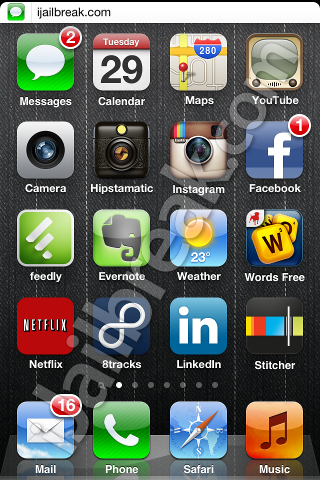
SmallBanners keeps notification banners from blocking icons or UI elements
The bar does exactly what the notification banner normally does, just shrunk down into half-sized tabs. It even displays a smaller version of the notifying app’s icon along with the app’s message. I tested SmallBanners with a widescreen game, and the small notification appeared as expected.
SmallBanners is available in Cydia through the BigBoss repository. Since SmallBanners is a notifications tweak, it requires iOS 5 and up. As with many of Ron Melkhior’s tweaks, SmallBanners is completely free. Just keep in mind that the tweak does not currently support the iPad.
The app does not leave an icon on the SpringBoard or any settings to configure. Just install the app from Cydia, restart the SpringBoard, and banners will be modified to the smaller format. If you prefer the way the notification banners were sized before, just uninstall the app.
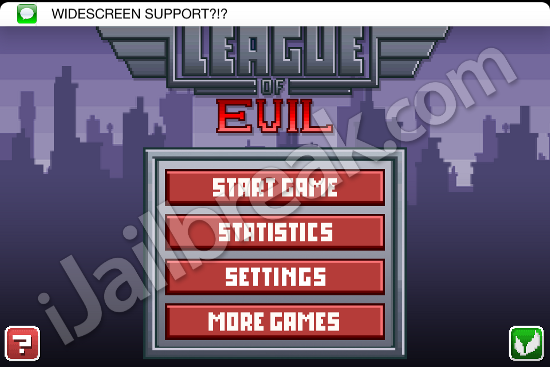
SmallBanners even works in landscape mode
Will you be installing SmallBanners on your iPhone or iPod touch, or do you prefer the stock notification banner? Maybe you prefer a different tweak. Share your thoughts in the comments section below.
I wonder if it works with “NCQuickDismiss” ?
make it work on 6.1 it’s great