Bluetooth Service Manager: Enable/Disable Bluetooth Services Such As A2DP, Keyboard
Have you ever wanted to disable the A2DP profile on your iPhone, iPod Touch or iPad? Thanks to a Cydia application called Bluetooth Service Manager, you can now enable/disable Bluetooth services such as: A2DP, Remote, Keyboard, and Gaming on your iPhone, iPod Touch or iPad.
For instance: when you connect a speaker to the iPhone via the dock, you can play music to the speaker, however, when you pair a Bluetooth headset to the iPhone, the music will stop playing through the dock and will play through the headset.
When Apple introduced iOS 4 it brought Bluetooth keyboard support to iOS devices, but older model iPod Touches were not supported. With Bluetooth Service Manager you can enable it.
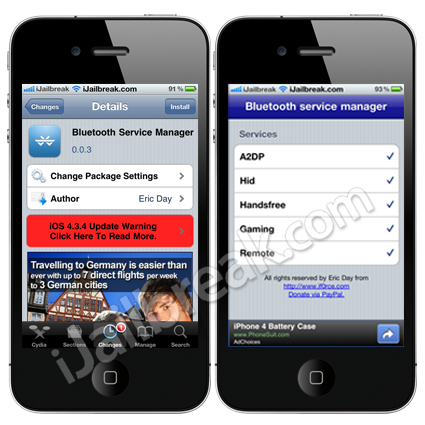
You can find the Bluetooth Service Manager app through the BigBoss repo for free.
GroupTones: Assign A Unique Ringtone To Each Of Your Contact Groups
With the Grouptones Cydia tweak you can assign a unique ringtone and text tone to each of your *contact groups. This means from now on you will know who is calling without even looking at your iPhone.
*For those of you wondering to enable Contact Groups you will need to create them by syncing some contacts from your Mac/PC beforehand.
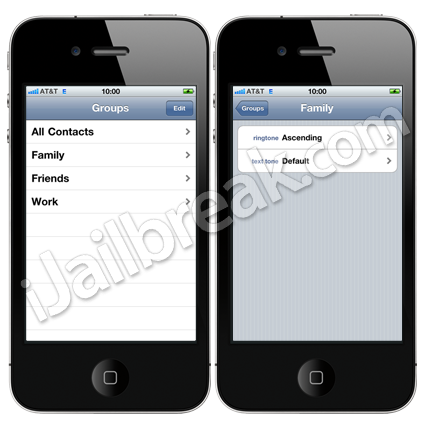
Here is a list of features included in the tweak:
- You’re still able to assign ringtones and text tones to individual contacts
- Supports local, MobileMe, and Google contact groups
- Supports FaceTime calls
- Smoothly integrates into system apps rather than being a separate application
You can find the GroupTones tweak through the BigBoss repo for a price of $2.99.
BadgeClear: Clear Pesky Notification Badges On iPhone, iPod Touch, iPad
Notification badges are something that is controversial between iDevice users; some people love them and some people hate them.
Regardless of where you sit on the spectrum, a new tweak was released into Cydia to help you manage those pesky notification badges. The tweak is called BadgeClear and it does just as its title suggests.
With the tweak you can clear icon badges right from your SpringBoard. Now unlike a lot of tweaks this is implemented natively into the iOS. To clear icon badges one must simply make their apps jitter and then tap any badges that often refuses to disappear by conventional means. Another nice functionality BadgeClear provides is the ability to clean out all icon badges inside of folders by simply tapping a folders badge.
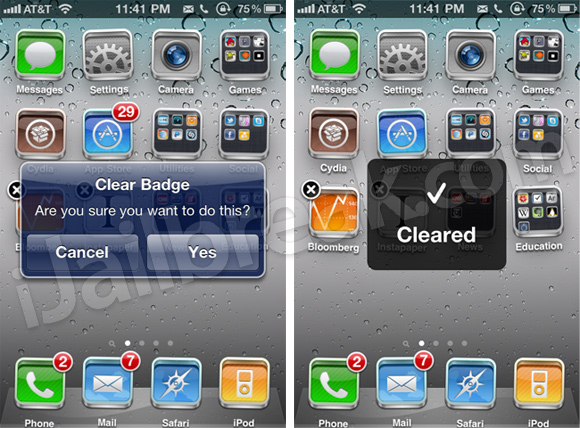
If you are interested in BadgeClear you can find it through Cydia for a price of $0.99.
WebScrollian: Faster Webpage Scrolling
One thing that had always annoyed me while browsing a webpage on my iDevice was the fact that page scrolling was such a slow process. This is why when I found the WebScrollian tweak through Cydia I was excited to share it with all of you.
With the tweak installed on your iDevice you can browse the web much faster than ever before. While we are of course not talking about any increases to the rate at which a webpage is loaded on your iDevice. Having the ability to scroll through webpages faster makes things feel much more responsive and less time consuming. I would suggest that all of you try the WebScrollian tweak as it is available free through the Bigboss repo.
If you tried any of these tweaks let us know what you thought in the comments.
Leave a Reply