iReb is a tool for the Windows operating system, developed by iH8Sn0w that will put your iPhone, iPod Touch or even iPad into a pwned state. This will allow you to upgrade your iOS device to a custom iOS firmware file created using a tool like Sn0wBreeze. iReb will help bypass iTunes errors such as 1600, 1601, 1602, 1603, 1604 when dealing with custom firmware files. In case you are wondering, iReb works by uploading 3 pwned files using iTunnel so that iTunes can accept a custom iOS firmware file.
iH8Sn0w has recently tweeted that he has updated iReb to version r5, which marks the first time he has update the iReb tool in nearly a year.
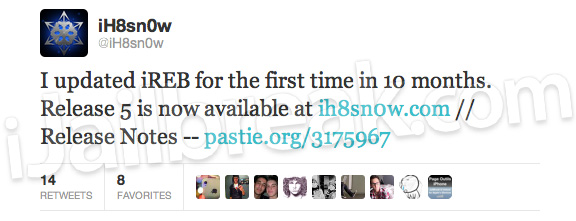
In iReb r5 iH8Sn0w has made the overall size of the program only 390kb, USB 3.0 issues are now fixed, and noticeable speed improvements are present. You can take a look at the complete iReb r5 changelog in the quoted area below.
- Much smaller file size (390kb).
- Fixed USB 3.0 issues.
- iREB’s speed for the iPhone 2G/iPhone 3G/iPod Touch 1G has increased significantly!
- Fixed rare DFU detection issues.
- Updated limera1n/steaks4uce payload to not hook “cmd_go” on 4.x images (nothing severe, but useless here).
If you would like to download iReb r5 you can go to the iJailbreak Downloads Section or use one of the direct links shown below.
Download iReb r5 Windows
Let us know if you have any issues, questions or thoughts related to iReb r5 in the comments section…
I cannot get my iphone 4 Ios 5 bb 4.10.01 to unlock. I had downloaded SAM from Cydia, and my phone kept frezzing on me, so I decided to restore everything and when I did ( worst day of my life) I can’t get it to bypass the activation screen, I have tried jailbreaking it with redsnow, and when I go through DFU Mode and I try to restore in itunes, it comes up with different error codes like (1602 ect) and I downloaded iREB r5 but I still get the same error. I need help desperately.
Please e-mail me with some ideas. gcharlie360@yahoo.com
Does this mean that I can downgrade from 04.11.08. Baseband?
1602 error is because its not in dfu mode.Download ireb once again.U might have to run it in comptability mode on win 7.If u r trying to downgrade n u havent saved ur shsh on cydia then its not possible.Also try running tiny umbrella while trying to downgrade.If u have not saved shsh then even if u run tiny umbrella u will get 2300 error.All the best.Also try another usb cord.
on 4.3.3 , restoring to ios 5.0.1
error 1600
not solving with ireb.?
wat to do?
Hi Gcharlie360. I have the same problem. Did you found a solution for that? Tx
I was trying to update my Iphone 3G to ios 5.2.1 whited00r and then it wouldnt and now it wont let me restore and it keeps saying error 1064? what do i do? my IPhone isnt jailbroken, its normal, so i was trying to do it through ITunes.
the link to download iREB doesn’t work.