Earlier today we told you that the iPhone Dev-Team updated their popular RedSn0w Jailbreaking tool to support the iOS 5.1 firmware. Although you can Jailbreak the iOS 5.1 firmware there are some things you need to keep in mind. Firstly, this Jailbreak is only for the iPhone 4 and iPhone 3GS; not the iPhone 4S. Secondly, this is a tethered Jailbreak and not an untethered Jailbreak that we have been very lucky to have on the iOS 5.0.1 firmware. As this is a tethered Jailbreak it means you will need to plug your iPhone into your computer and re-run RedSn0w to boot your iPhone into a fully operational state every time it loses power. Lastly, iBooks will not work on the iOS 5.1 firmware until the iPhone Dev-Team have had a chance to implement a patch.
If you understand the three points I have just brought up about this Jailbreak and meet the requirements you will be able to easily Jailbreak your iPhone 4 or iPhone 3GS on iOS 5.1 tethered. And in this how to guide from iJailbreak.com you will learn how to do just this using the Mac OS X version of RedSn0w 0.9.10b6.
Note #1: This is a tethered Jailbreak and this Jailbreak will not work on the iPhone 4S.
Note #2: iBooks will not function correctly until the iPhone Dev-Team have had a chance to implement a patch.
Note #3: The old bootrom iPhone 3GS will be untethered on iOS 5.1.
Note #4: If you are looking to Jailbreak your iPod Touch 4G or iPod Touch 3G click here. If you would like to Jailbreak your first generation iPad click here.
RedSn0w 0.9.10b6 Tethered Jailbreak (Mac OS X)
Step 1: The first thing you will need to do is download RedSn0w 0.9.10b6 for the Mac OS X operating system using the download mirror below or through the iJailbreak Downloads Section.
Download RedSn0w 0.9.10b6 for Mac OS X
Step 2: Once you have downloaded RedSn0w you will need to launch it by double clicking on the redsn0w app.
Step 3: With RedSn0w running you will need to click the Jailbreak button.
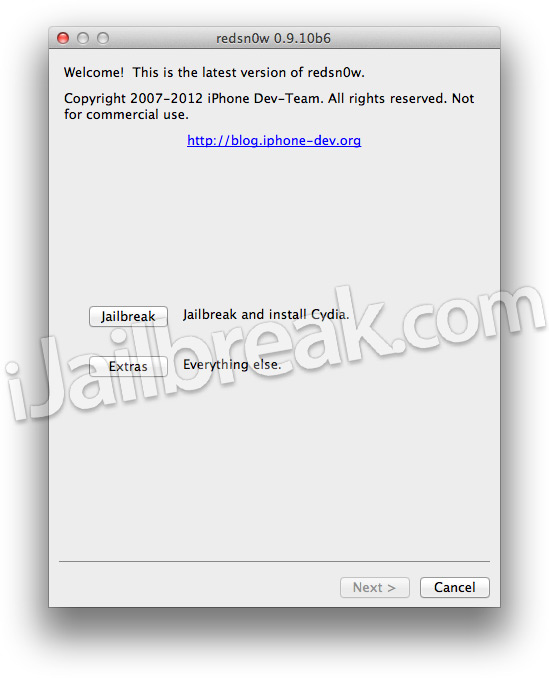
Step 4: After clicking the Jailbreak button you will come to a screen where you will need to put your iPhone into DFU mode.
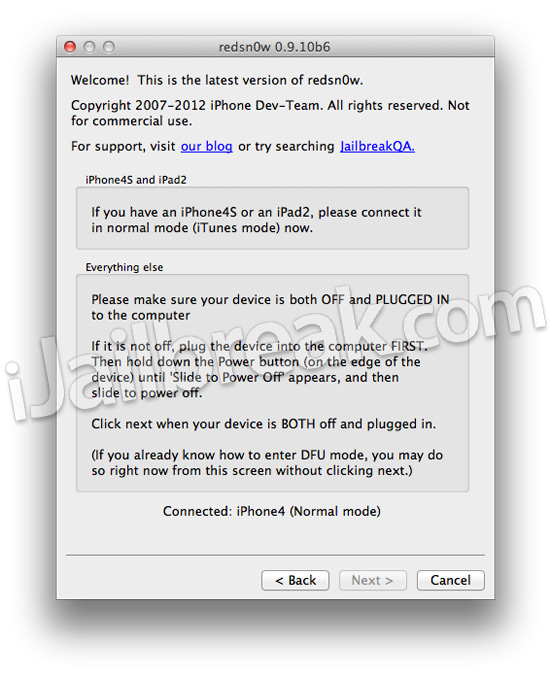
Read through and follow the instructions presented to you which is to plug in and power off your iPhone and then click the next button when you are ready to begin the DFU mode process.
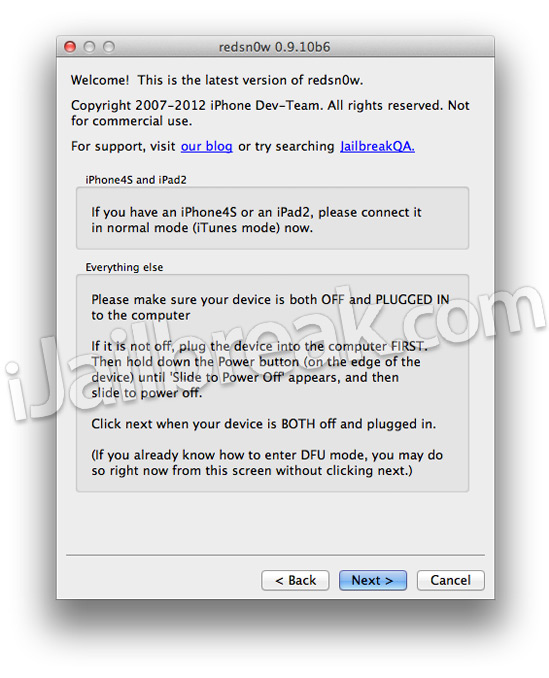
Step 5: When you click the next button you will need to follow the instructions presented to you in real-time to put your iPhone into DFU mode.
- Hold down Power (corner) button for 5 seconds.
- Without releasing the Power button, also hold down the Home (bottom center) button along with the Power button for 10 seconds.
- Without releasing the home button, stop holding down the power button for up to 15 seconds.
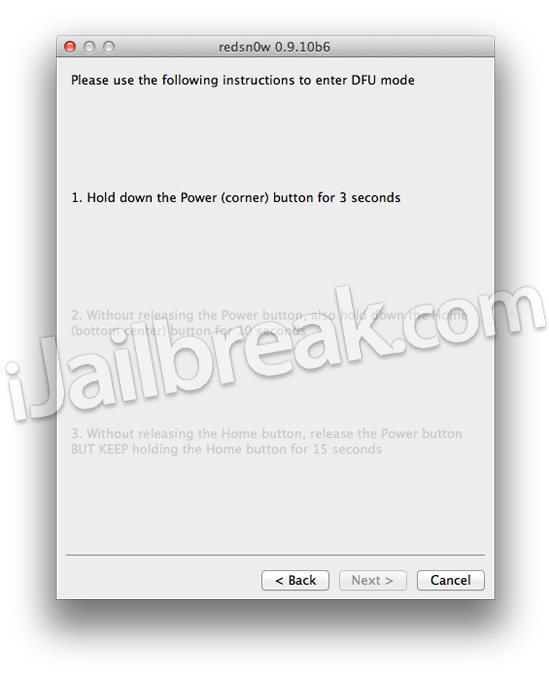
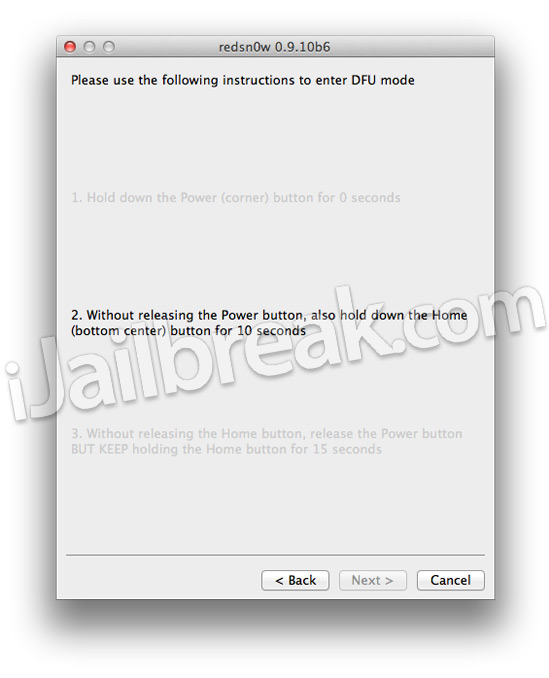
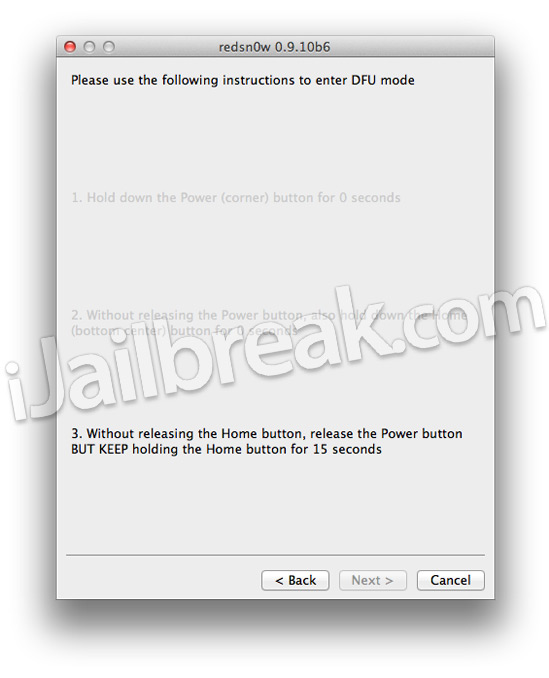
Step 6: After you successfully enter DFU mode RedSn0w 0.9.10b6 will begin preparing your iPhone for the iOS 5.1 Jailbreak.

Step 7: Once RedSn0w has finished preparing your iPhone for the iOS 5.1 Jailbreak you will be asked you to specify options to go along with your Jailbreak. The only option that you actually need to make sure is checked is the Install Cydia option. Once you have ensured this option is checked, and any other options you may want, click the Next button.
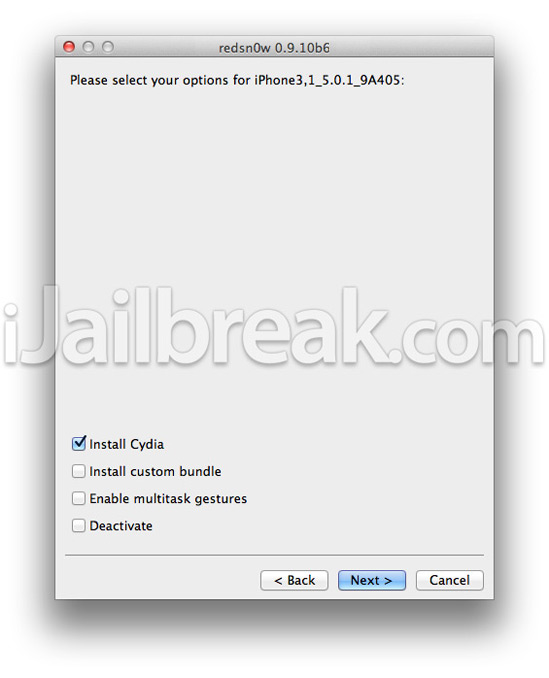
Step 8: After you have specified your Jailbreak options you can click the next button and RedSn0w 0.9.10b6 will begin jailbreaking your iPhone. DO NOT interrupt or use the computer during this time. When your iPhone is finished being jailbroken it will boot up with the Apple logo and not go any further. This is because this is a tethered Jailbreak and you will need to boot tethered with RedSn0w in order to get your iPhone in a working state again.
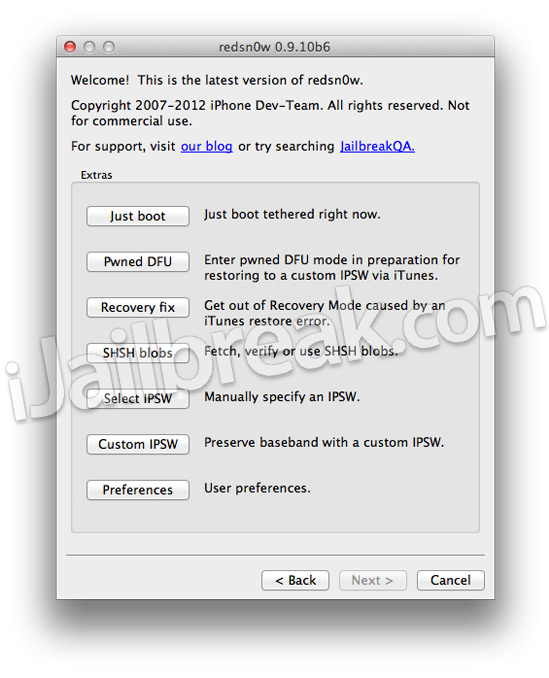
Step 9: As explained previously when you Jailbreak your iPhone running iOS 5.1 you will have a tethered Jailbreak. Meaning in order for your iPhone to turn back on you will need to boot it using RedSn0w (this applies every time your iPhone loses power). To do this launch RedSn0w again and click the Extras Button > then click the Just boot button and you will simply need to put your iPhone into DFU mode again.
Congrats! You should now have a tethered Jailbreak on your iPhone 4 or iPhone 3GS running the iOS 5.1 firmware. For more tutorials visit the How To Jailbreak Section. Leave any questions in the comments.
i tried it, but it didn’t work for me, it still on 5.0.1
That’s what i am about to do now. Hopefully i dont mess it up lol…WISH ME LUCK!!!!
You may need to manually select the iOS 5.1 firmware then in the Extras menu before following the steps in this How To guide.
Tried it manually too, no luck so far :-(
It showed the hd icon, then when getting the little scripts, it gave me an error script, tried it many time and it reached a point and said “panic:we are hanging here…”
:-(:-(
Any idea why redsn0w won’t recognize the DFU mode my old bootrom 3GS? It actually is in DFU, I can go to System Profiler and see the bootrom version (something which is only possible in DFU mode), but redsn0w keeps saying that I didn’t follow its instructions correctly.
why did my phone and messages icon go away?
I’m having the exact same with my 3gs with old bootrom.
i have the same problem too here
i tried jailbreake 5.1 , but apple logostuckon my iphone 3gs , watidofor stuck apple logo?
I jail broke my iPhone 4 5.1 using redsn0w and it died and now just keeps respringing and it won’t stop long enough for me to turn it off in order to put it in DFU mode! help!
im on the same boat right now!!!!
did you find a solution?!?!?!??!?!?!
please someone help
dude this is only meant for the new boot rom the old one has an untethered jailbreak
hold the power and home button for round 30 secs
Nothing is working for my iPhone 4s
because this software is not for iphone 4s . try downloading absinth it will work for ipad2 and iphone 4s ios 55.0.1
okay my Cydia app wont work. What do I do?
frnds fallow correct steps i think ur not following r u didnt read the cautions correctly cause i have iphone4s nd my verion is 5.1 this steps will correct plz follow them iam having fun more after my phone jail.break yeah
No matter how many times I tried this , it does not recognise my SIM says , Searching for a long time and settles on No Service.
What now ?
plug your phone to your pc, open redsnow, go to extras and use the JUST BOOT opcion.. that will fix it
dude are you dump? how do you know he did not follow right steps? I am trying to unlock this DAMN phone for a 3 days now. And guess what? yes I followed the guild and NOTHING. still locked
I have an iPhone 4S iOS 5.1 (9B179) and my version of RedSnow is 0.9.11.b4 and i put my mobile on dfu mode (redsnow says to me) but it says its not supported … when we will can jailbreak the 4S ?
please reply, why does it says package cannot be found, I tried downloading winterboard but it says for me to download more sources, but which one? all of them?!
easiest thing ever!
Thank you so much!
hi…i jailbreaked my iPhone the tendered way…the battery died,i charged it with a normal charger coz i was not at home..it switched on,it came to the screen where i have to type my password in,gets jammed,screen goes black,the loading wheel comes in the middle,and it carries on doing that..i tried to just booth it,that didn work…i tried reinstalling cydia,that didn work…please advise asap
iphone 4 jailbroken unthered absinth it has been jalbroken for 1 month the battary was dead i put it on the charger then i got stuck on apple logo someone please tell me what to do.