With the release of iOS 5 things have been very busy! This didn’t stop the iPhone Dev-Team from releasing an update for RedSn0w bringing RedSn0w to version 0.9.9b5. In this new version of RedSn0w (for Mac OS X users only at this time) you can Jailbreak iOS 5 in only a few clicks. Follow the how to guide below to Jailbreak tethered the iPhone 4 and iPhone 3GS running iOS 5 (official version) on Mac OS X.
Note: If you would like to update to iOS 5 please click here to follow our detailed guide.
Step 1: Download RedSn0w 0.9.9b5 for Mac OS X using the download mirror below or through the iJailbreak Downloads Section.
Mirror #1: RedSn0w 0.9.9b5 (Mac OS X)
Step 2: Once you have downloaded RedSn0w version 0.9.9b5 you will need to launch it by double clicking on the redsn0w app.
Step 3: With RedSn0w up and running you will then click the Jailbreak button.
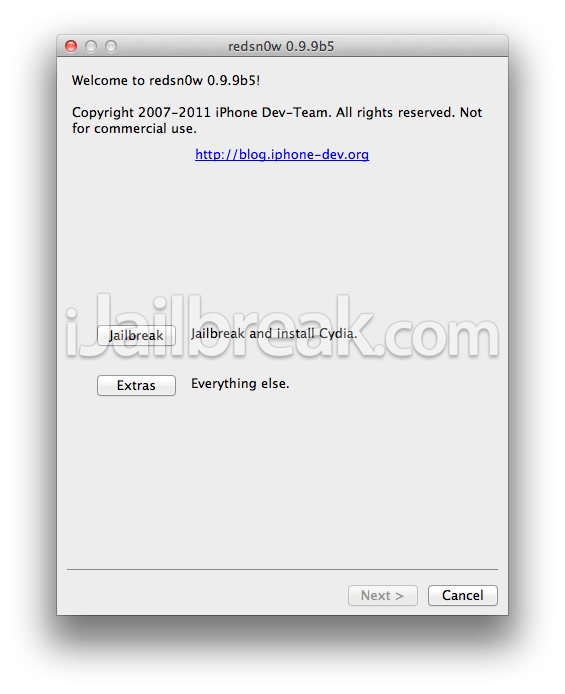
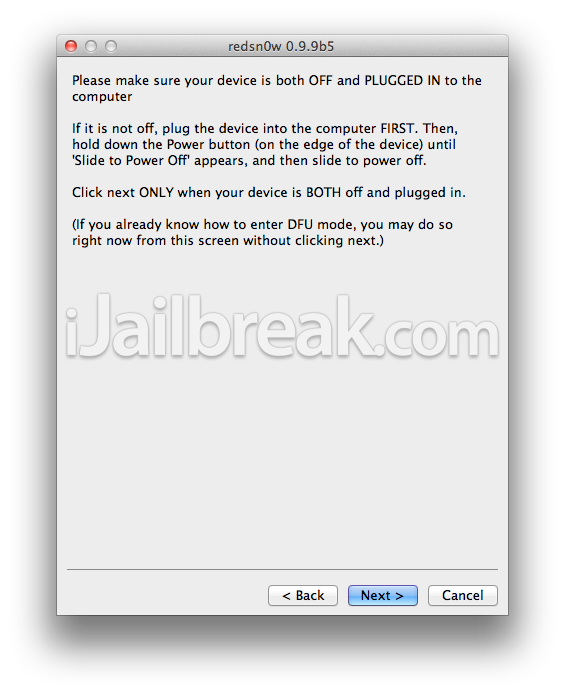
Step 4: You will come to a screen where you will need to put your iPhone into DFU mode. Read through and follow the instructions presented to you which is to plug in and power off your iPhone and click the Next button.
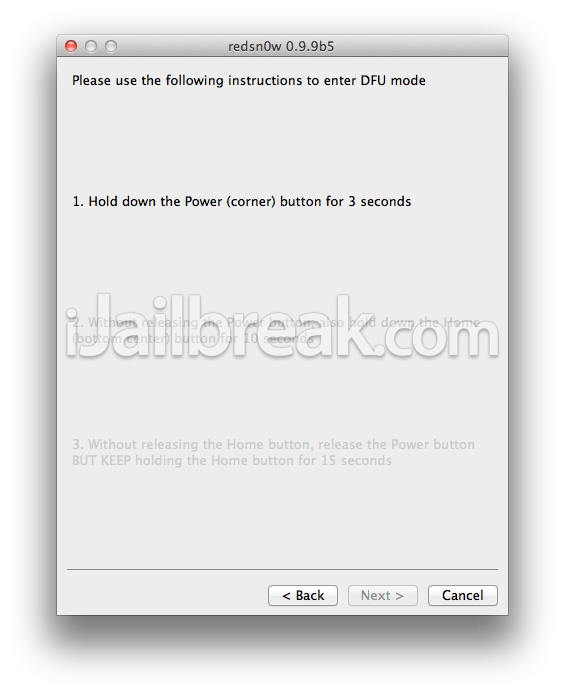
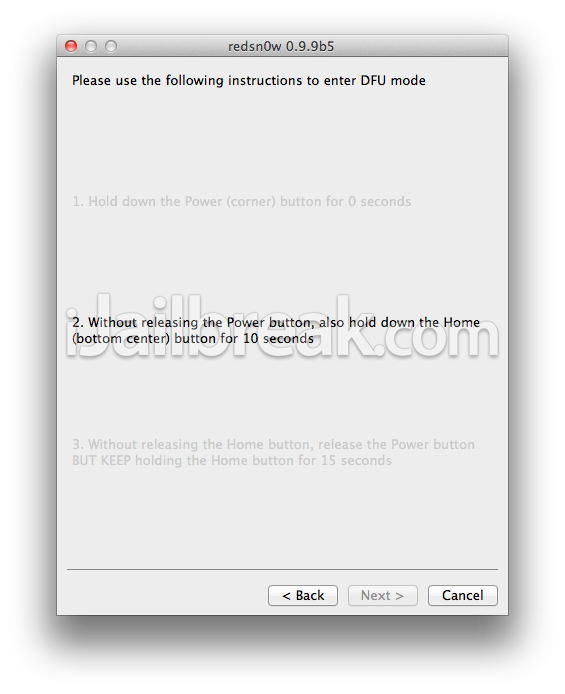
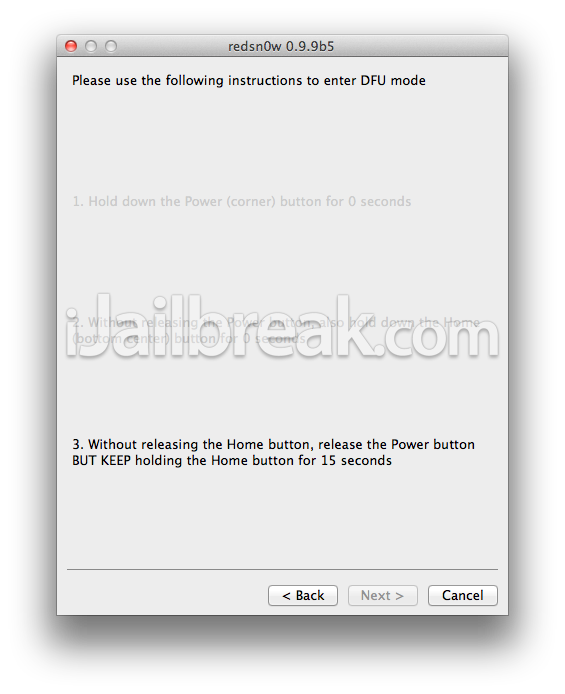
Step 5: When you click the Next button you will need to follow the instructions presented to you to put your iPhone into DFU mode.
- Hold down Power (corner) button for 5 seconds.
- Without releasing the Power button, also hold down the Home (bottom center) button along with the Power button for 10 seconds.
- Without releasing the home button, stop holding down the power button for up to 15 seconds.
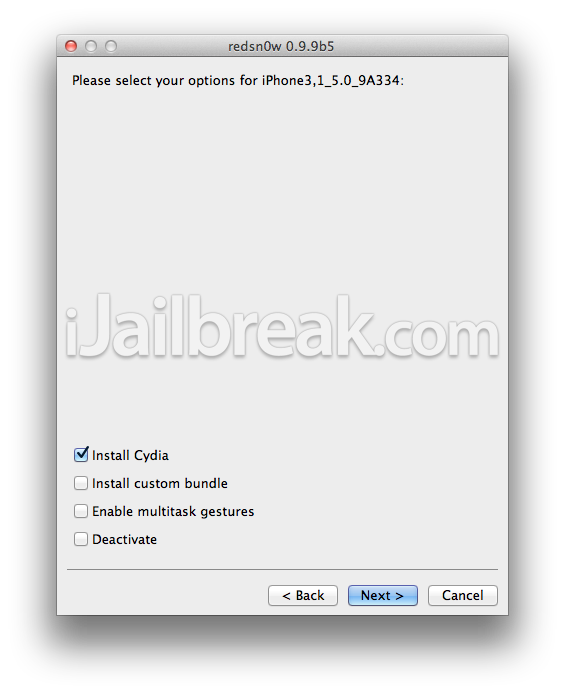
Step 6: After you successfully enter DFU mode RedSn0w 0.9.9b5 will now prepare the jailbreak data. Once RedSn0w is done ensure the “Install Cydia” option is checked and click the Next button.
Step 7: RedSn0w will begin jailbreaking your iPhone. DO NOT interrupt or use your Mac during this time. When your iPhone is finished being jailbroken it will reboot into a jailbroken state. Congratulations!
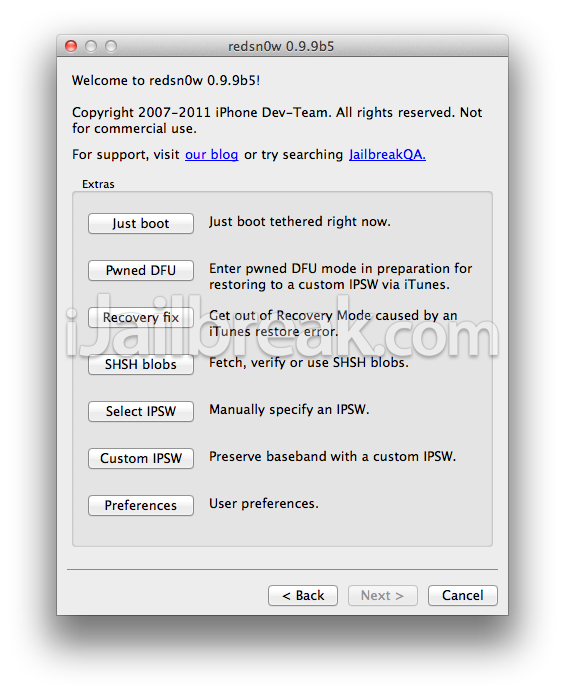
Optional: Booting Tethered – When you Jailbreak your iPhone running iOS 5 (official version) you will have a tethered Jailbreak. Meaning in order for your iPhone to turn back on you will need to boot it using RedSn0w (this applies every time your iPhone looses power). To do this launch RedSn0w again and click the Extras Button > then click the Just boot button and you will need to put your iPhone into DFU mode again.
You can also follow our how to guide to booting a tethered jailbreak using RedSn0w on Mac OS X by clicking here.
Note: Yes, you need to do this every time your iPhone looses power.
Upon following our detailed guide on jailbreaking iOS 5 with RedSn0w 0.9.9b5, you should now have a jailbroken iPhone 4 or iPhone 3GS running iOS 5. For more tutorials visit the How To Jailbreak Section. Leave any comments below…
I’m experiencing some “no service / searching” issues when using the iOS 5 w/ Redsn0w 0.9.9.5b on iPhone 3gs. Already tried to downgrade, GSM cards of two different operators but have no success. Did you guys heard about something to fix this?
Using iPhone 4. Keeps going into recovery mode instead of DFU. Then I’d have to restore all over. The countdown seems a bit slower (“10s” = 12s). Something to look into and maybe fix.
UPDATE: Ignore the screen count and count the seconds yourself. The jailbreak will work then. Also, after the “Just boot” reboot, yes cydia is there but reading from another page(can’t remember which one) most cydia apps aren’t ready/updated for iOS 5. If you install anything from cydia, you might get stuck in a rebooting loop or safe mode where you’ll have to do a restore-jailbreak(happened to me twice). I’m gonna wait until someone gives the all-clear before I restore my cydia apps.
Am really looking forward for an unterthered jailbreak for iOS 5 and also Siri for iPhone 4. Keep up the good work.
new to jail breaking with iphone4 iOS 5 thought i would try it out couldn’t be easier with this tutorial thank you great work.
i really look forward to unterthered but i got NO SERVICE with my sim any help plz???? XD
same thing to me i cant get service maybe we’ll have to wait patiently but ill keep trying with any update XD
when i jailbreak it I get stuck into the circle part at the end
i did the jailbreak but I’m experiencing no service or searching issues. I have the gevey card in my phone. Is this still useful?
hi all
I read some problems with new jail breaking, so its still not save to apply?
any help
mohd
Actually, everythink with gevey and so worked.only the cydia app symbol is just white and i cant start it. somebody knows what to do?
i have the same problem. . . anything come up?
iPhone freezes upon restart, the loading icon freezes and nothing happens after the apple screen. Anyone have a solution to this problem? its on an iphone 4.
My 3gs is not carrier unlocked but I use a different carrier after unlocking using UltraSn0w. I’m worried that if I update I won;t be able to activate without an original SIM. If I update and jailbreak to IOS5, will my current activation still work? i.e. I won’t require an original SIM to activate before I am able to install and unlock using UltraSn0w again?
I get that too! Its like its frozen. Is there a way to fix this?
At tethered Jailbreak it says that an iphone 3gs with the old bootrom will be unteathered, does anybody know if that is the case with this jailbreak? Will this jailbreak even work on a 3gs with the old bootrom?
I figured it out! go back to redsn0w and click on Extras on the home screen then click on the first option that says “Just Boot” and itll boot up your phone! everytime your iphone turns off this is the only way to restart it.
This Jailbreak is so not ready for prime time. i followed all the directions and it all went flawlessly but all I ended up with was a “No Service” message. I’ve tried redoing the process bur I get the same results every time. This was such a mistake cause’ I really need my phone and I trusted that these (possible teenagers) who created this jailbreak knew what they were doing and not putting out some half-baked hack just for the sake of getting there first. And of course, support is no where to be found. These redsn0w clowns are the real hacks….
I had the same problem with my iPhone 4. I upgraded, followed this video, and nothing. I spent $650 on that phone and now its useless. I had to go back to my old Blackberry and I’m pissed because I really depend on my iPhone for work and school. I should’ve known better not to follow these clowns and not upgrade.
You are the only clown here Omar.
And you know it!
I’d like to know this as well please:
Will this produce untethered jailbreak for iO5 on iPhone 3GS with the old boot rom?
This was stated elsewhere but I haven’t seen anything lately.
Thanks for all your work and help.
is this tethered or untethered?
me 2, no service wtf i just wanna jailbreak my phone man….