A tethered Jailbreak is never the ideal type of jailbreak, however, as there is no untethered jailbreak past the iOS 4.3.3 firmware (at this time) a tethered Jailbreak is the only option for certain individuals. While for most booting a tethered Jailbreak has become second nature, if you are new to the jailbreaking community the concept of this may seem a bit intimidating. This is why in this tutorial from iJailbreak you will learn how to boot a tethered iPhone, iPod Touch or iPad using RedSn0w for Windows.
Note: The process is the same for Mac OS X users.
How To Boot A Tethered Jailbreak
Step 1) Download RedSn0w for Windows through the iJailbreak Downloads Section.
Step 2) Once you have downloaded RedSn0w, launch it by double clicking on the redsn0w.exe file.
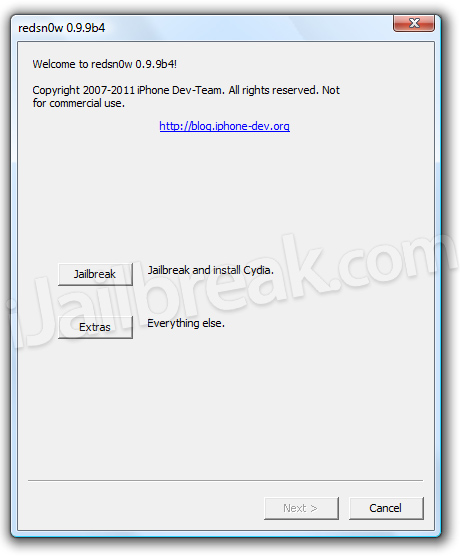
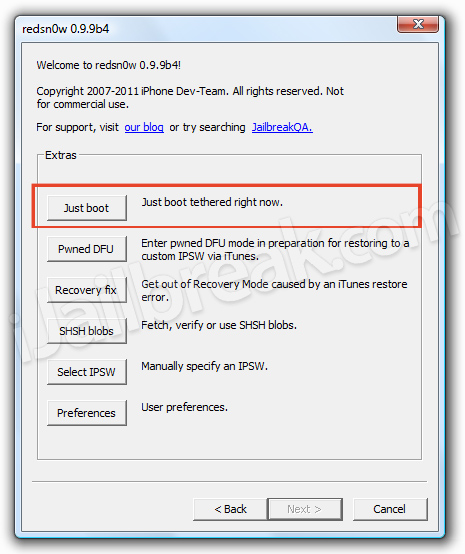
Step 3) With RedSn0w up and running you will want to click the Extras button. You will now see six buttons. Click the Just boot button.
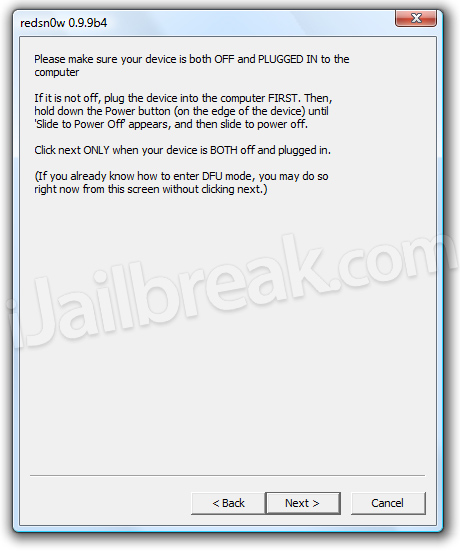
Step 4) You will come to a screen where you will need to put your iPhone, iPad or iPod Touch into DFU mode. Read through and follow the instructions presented to you which is to plug in and power off your iPhone, iPad or iPod Touch and click the Next button.
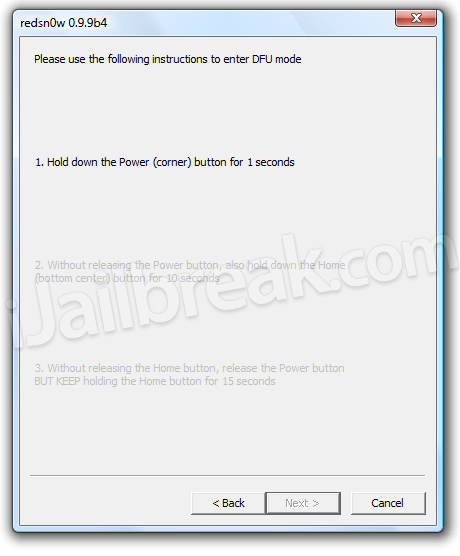
Step 5) Once you click the Next button you will need to follow the instructions presented to you to put your iPhone, iPad or iPod Touch into DFU mode.
- Hold down the Power (corner) button for 5 seconds.
- Without releasing the Power button, also hold down the Home (bottom center) button along with the Power button for 10 seconds.
- Without releasing the home button, stop holding down the power button for up to 15 seconds.
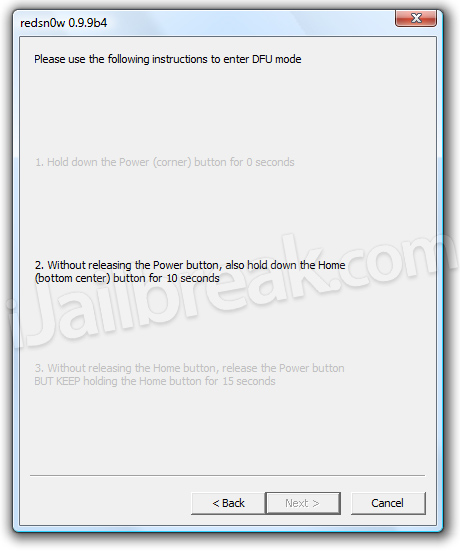
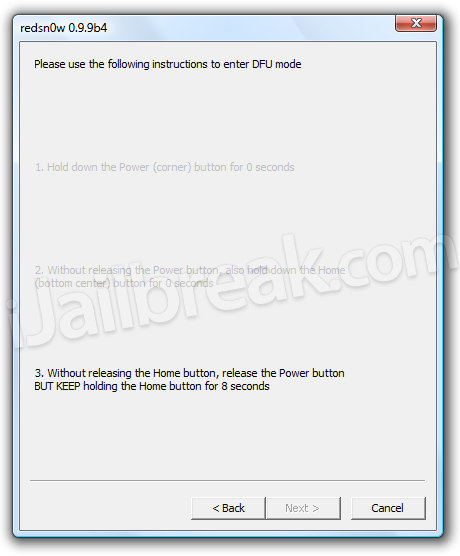
After your iPhone, iPad or iPod Touch is correctly in DFU mode, you just sit back and wait for your iPhone, iPad or iPod Touch to re-boot into a usable state.
is this work for iPad 2 iOS 4.3.5 ??
This won’t on iPad 2.
My friend gave me an iphone 4 with iOS 5, already jailbroken for my birthday. However, it powered down so it was off, and in order for me tu turn it on i downloaded de redsn0w no my computer and clicked on “just boot” and after setting it into DFU it says “no indentifying data fetched”. Now what can i do?
Man! I just bought 3 iPad 2s thinking I could jailbreak them but they have 4.3.5 on them. Is it true that when version 5 is released, a jailbreak will work?
I tried doing this, because it directed me to go under this tab but when I did it, all that happened was a pineapple appeared and nothing will happen. at all.
worked for me
iPod Touch won’t turn on again after accidentally switching it off. It has a device password. Tethered jailbreak. What do I need to do?
says “unrecognized build” pls help