Mail More Photos: Email More Than 5 Photos In A Single Email
Has the fact that you can only send a maximum of 5 photos from your iPhone, iPod Touch or iPad ever bugged you? Would you like a quick and easy way to send more than 5 photos on your iOS device? Well, if you answered yes to the questions just presented to you then you will be glad to know that with the Mail More Photos Cydia tweak you can change the maximum image sending limit associated with sending emails.
You see, the default limit of sending photos on your iPhone, iPod Touch or iPad is 5. With the Mail More Photos tweak, however, you can send as many photos as you want! The developer of the tweak has also tweaked the title bar to show the total size of all the selected files.

If you are interested in the Mail More Photos jailbreak tweak you can find it through the ModMyi repo for $0.99.
SuperSwitcher: Extend The Functionality Of The iOS Multitasking Bar
The SuperSwitcher Cydia tweak will allow you to bookmark up to 9 of your favorite applications in a menu above the multitasking bar. The tweak also allows you to change certain system settings such as Bluetooth, WiFi, screen brightness, volume and so much more in this menu. Are you ready to take your multitasking bar to the next level? Download and install the SuperSwitcher now to your iPhone, iPod Touch or iPad and dramatically extend the functionality of the iOS multitasking bar.
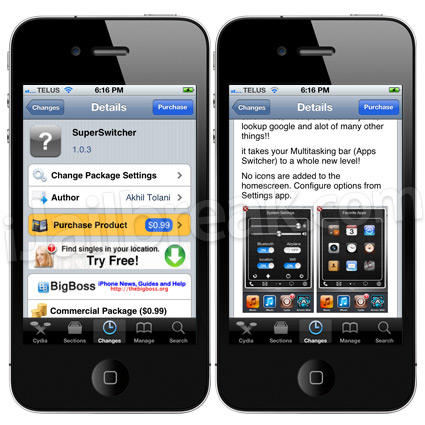
If you are interested in SuperSwitcher you can find it through the BigBoss repo for $0.99.
LockLauncher: Easily Launch Up To 9 Apps From Your Lockscreen
Would you like to have the ability to open applications from your iPhone, iPod Touch or iPad’s lockscreen? Well, if you answered yes to this question then you will be glad to know a tweak was recently released into Cydia to do just this! Introducing the LockLauncher jailbreak tweak that will enable you to launch up to 9 applications from your iOS device’s lockscreen. These 9 applications can be configured directly from the lockscreen by simply pressing the small blue arrow that will appear in the top left corner of your iOS device’s lockscreen.

If you are interested in the LockLauncher tweak you can find it through the ModMyi repo for free.
TapDeWiggle: Exit SpringBoard Editing Mode With A Single Tap
The TapDeWiggle Cydia tweak will allow you get out of the SpringBoard editing mode without having to press the Home button. Instead, with the TapDeWiggle tweak installed, you can get out of the SpringBoard editing mode by simply tapping a blank area on your iPhone, iPod Touch or iPad’s screen. Now, in case you are wondering what we mean when we say SpringBoard editing mode. We are referring to when you hold down on an applications icon on your SpringBoard (homescreen) and can move your applications around, while they wiggle.
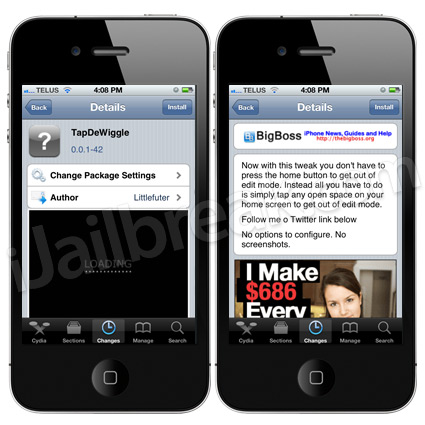
If you are interested in the TapDeWiggle jailbreak tweak you can find it through the BigBoss repo for free.
Are you going to download any of these tweaks for your iPhone, iPod touch or iPad? If so let us know which ones in the comments.
This tweak adds advertisement to your camera roll!!!