Sometimes I find myself wishing I could fit more icons on my iPhone’s homepage. It is a lot easier to have many icons on one page then to have to scroll through many pages to find the specific a app I am looking for. In the past there have been WinterBoard themes that would shrink an apps icon to allow more apps to fit on one page but kind of theming modification isn’t easy to do. There have also been other modifications made to the iPod Touch/iPhone to allow more icons to fit on pages like 5 icon dock, six row modification etc… While these modifications are good having the ability to actually shrink your icons to an exact percentage can offer a lot of choice and personality to your iPod Touch/iPhone.

Introducing Shrink; an application developed by phoenix3200, who has also brought us applications such as Music Controls, CalendarPro (Profiles), and Resupported. Shrink can be used to shrink your icons to an exact percentage value based on their original size to allow many icons to fit on one page. Shrink is an extremely easy to use applicattion, just select the percentage you want your icons to be sized to and respring. Shrink is compatible with many other popular modifications/programs like winterboard, iconoclasm, and infinidock. If you are interested in Shrink simply go to the Cydia Store and buy it for 99 cents.
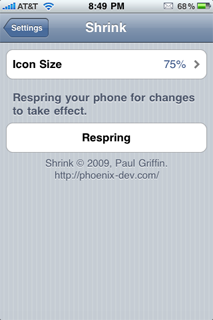
As you can see Shrink is a cool application that can allow you to not only find apps faster but allow you to personalize your iPod Touch/iPhone. My question to you is… would you consider using these tweak on your iPod Touch/iPhone?
Leave a Reply